About Yes Spin
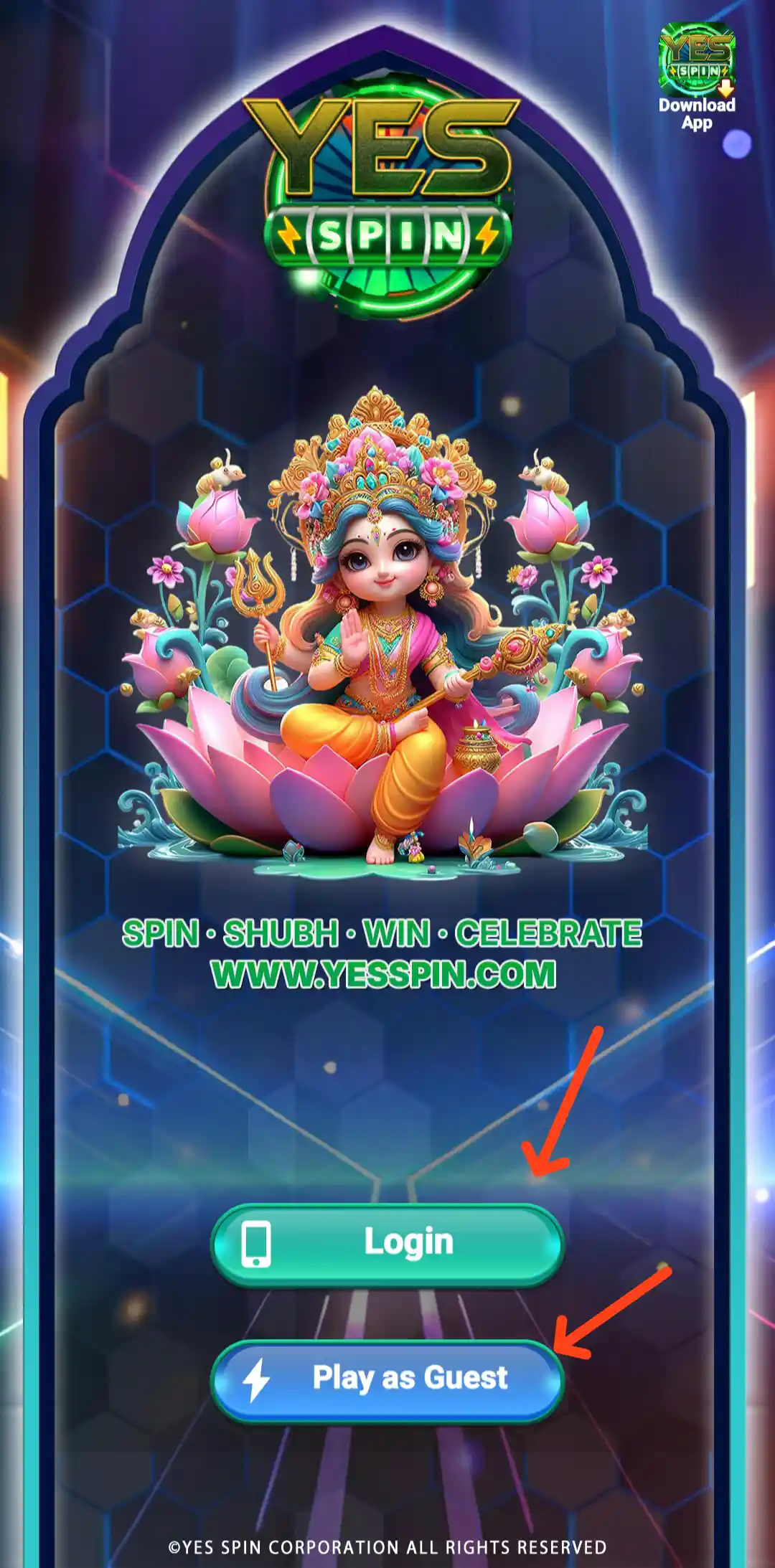
Yes Spin is an Android gaming app that brings several game categories and account options together in one mobile interface. The Yes Spin app home screen features a Jackpot Lotto panel, promotional banners and quick access to sections such as Slots, Aviator and Fishing. Its dashboard also includes shortcuts for rewards, VIP offers, Free Cash, referral activities and account support.
Along with the game lobby, Yes Spin provides login and registration options, a wallet area, deposit and payment pages, withdrawal-related account tools, promotional offers and a referral programme. If you are checking Yes Spin APK details before installing it, this guide covers the main screens, app size, signup offer and the features visible in the app. Bonus amounts, payment methods and eligibility rules can change, so always read the latest terms displayed in your account.
Yes Spin App: Home Screen and Dashboard
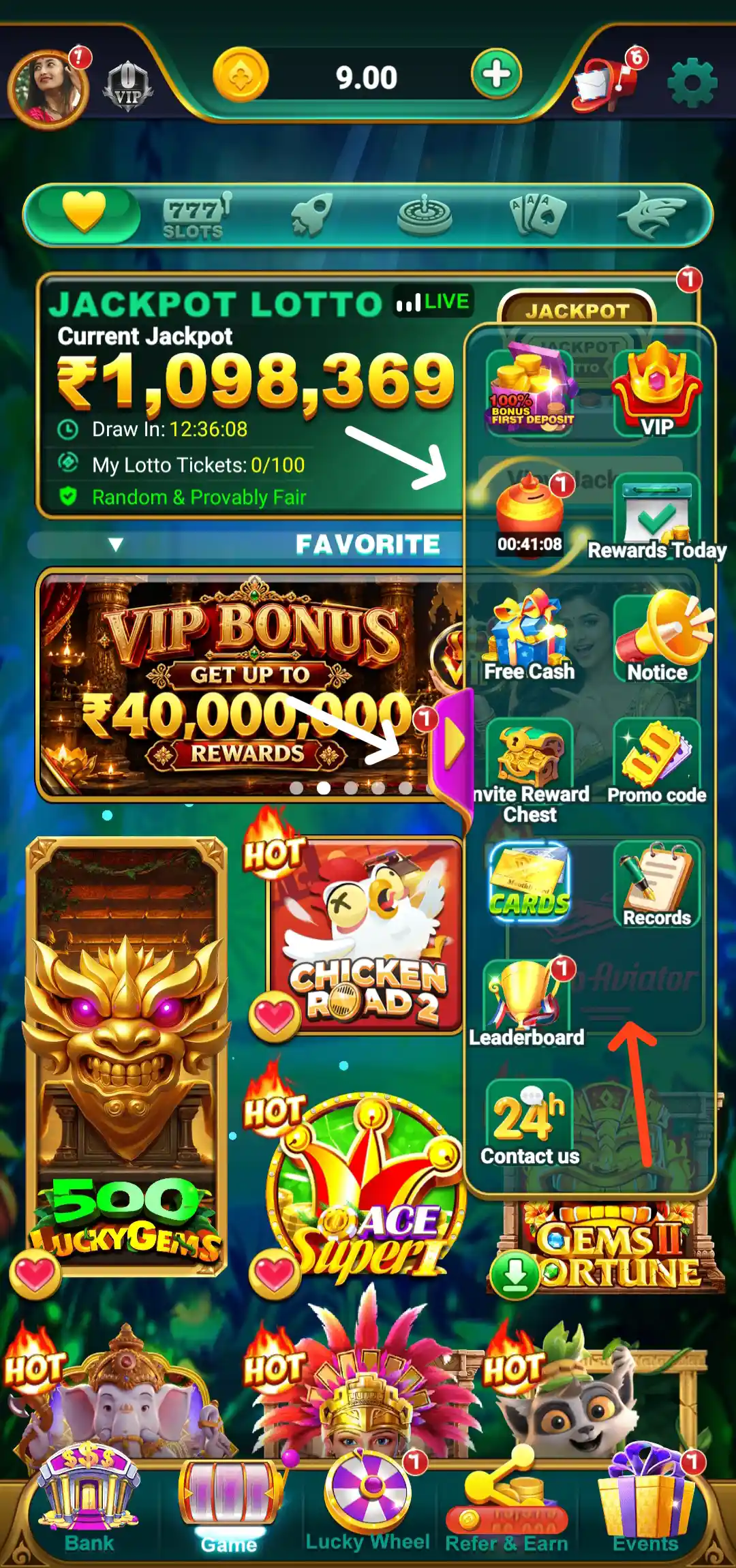
After opening Yes Spin, the home dashboard displays the account balance and profile area at the top, with a plus button for adding funds and shortcuts for messages and settings. The category bar provides access to different game sections, while the main area features Jackpot Lotto information, promotional banners and game tiles. The bottom navigation includes Bank, Game, Lucky Wheel, Refer & Earn and Events.
The dashboard may highlight a jackpot amount, draw countdown, leaderboard promotion or featured game. These are in-app displays and should not be taken as a promise of winning or receiving a reward. Check the rules and entry conditions for each activity before taking part.
Yes Spin APK Download and Installation
To Download Yes Spin APK on an Android phone, use the Download Official APK button at the top of this page. It opens the Yes Spin download destination. Before installing, check the app name, file details and permissions shown on your device, and continue only if you are comfortable with the source and the access being requested. The listed Yes Spin app size is 92.5 MB; the downloaded file size can vary by version.
- Scroll to the top of this page and tap the Download Official APK button.
- On the destination page, review the Yes Spin app information and available APK download option.
- Choose the download option and wait for the APK file to finish downloading.
- Open the downloaded file from your phone's Downloads folder.
- If Android asks to allow installation from that source, review the prompt and enable it only when you trust the source.
- Complete the installation, check the permissions and read the app terms before signing in.
For another walkthrough, visit our Yes Spin APK Download and app guide on Allyono Pro. Avoid APK files shared through unknown messages or unrelated websites. If the publisher, file details or permissions seem unusual, do not install the package.
Yes Spin Login: How to Sign In
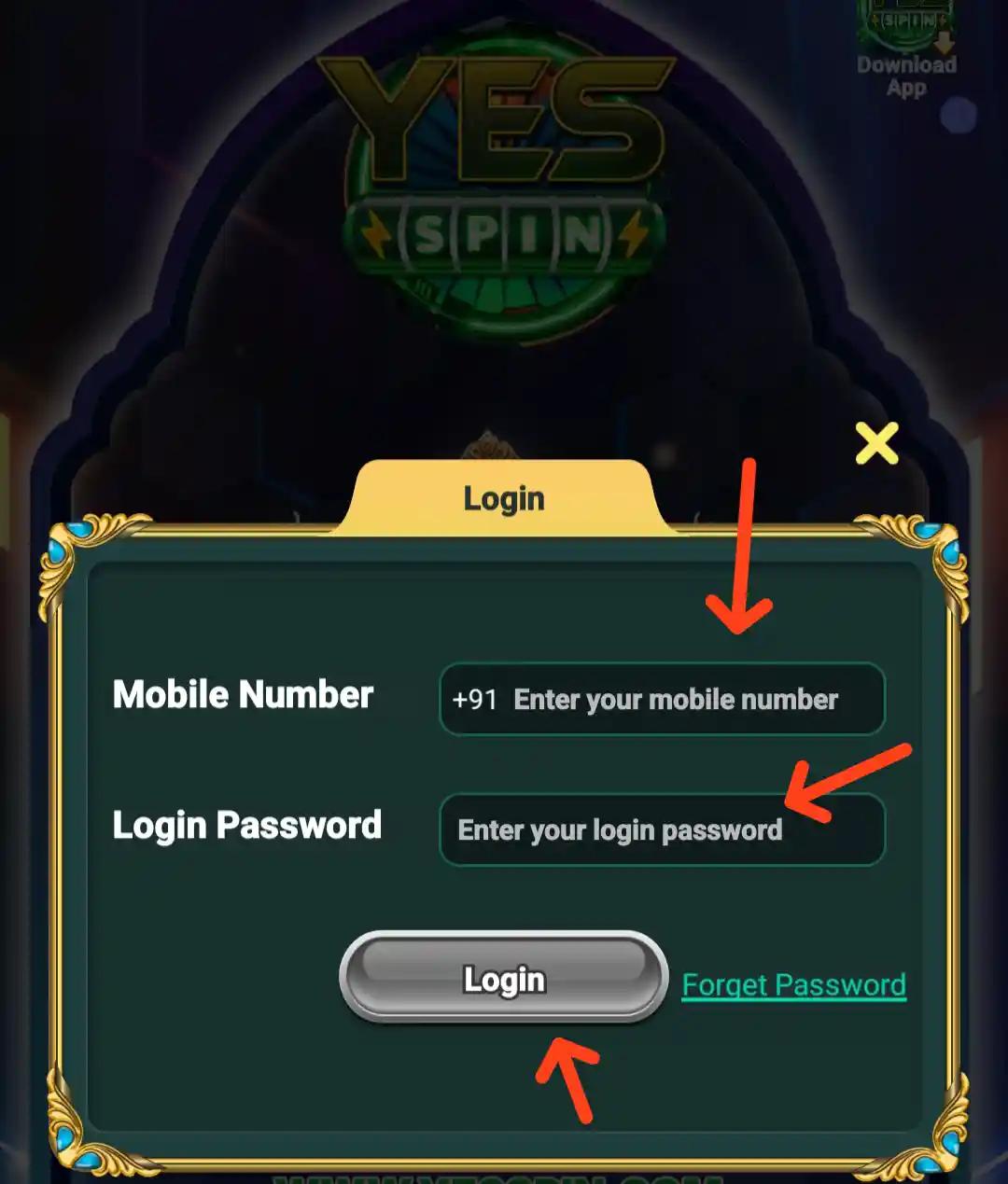
The Yes Spin login screen contains separate fields for Mobile Number and Login Password, followed by a Login button. Enter the mobile number registered with the app and the corresponding password, then check both fields before tapping Login. The page also provides a registration option for users who do not yet have an account.
Keep your login password and one-time verification codes private. Do not share them with anyone claiming to be a Yes Spin agent or customer support representative.
Yes Spin Registration and Signup Bonus
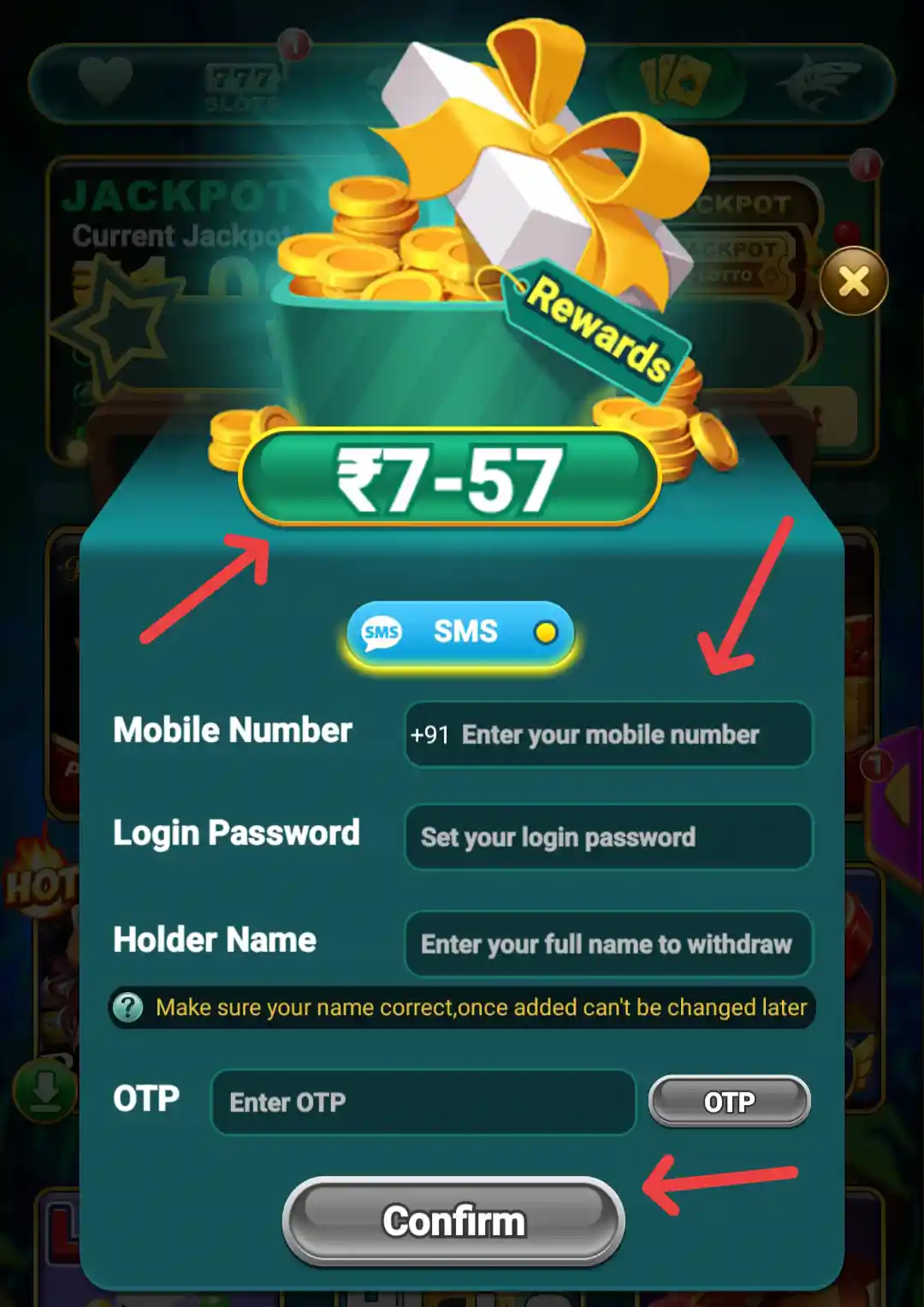
The Yes Spin registration screen displays a welcome gift and a signup form with fields for Mobile Number, Login Password, Confirm Password, Referrer Name and OTP. The screen shows a signup bonus range of ₹7–₹57 and a Confirm button. Enter your own details, check the password fields and complete the verification step shown in the app.
The bonus range is an offer displayed during signup, not a fixed amount for every account. Check the conditions attached to the credited amount before assuming it is available for withdrawal.
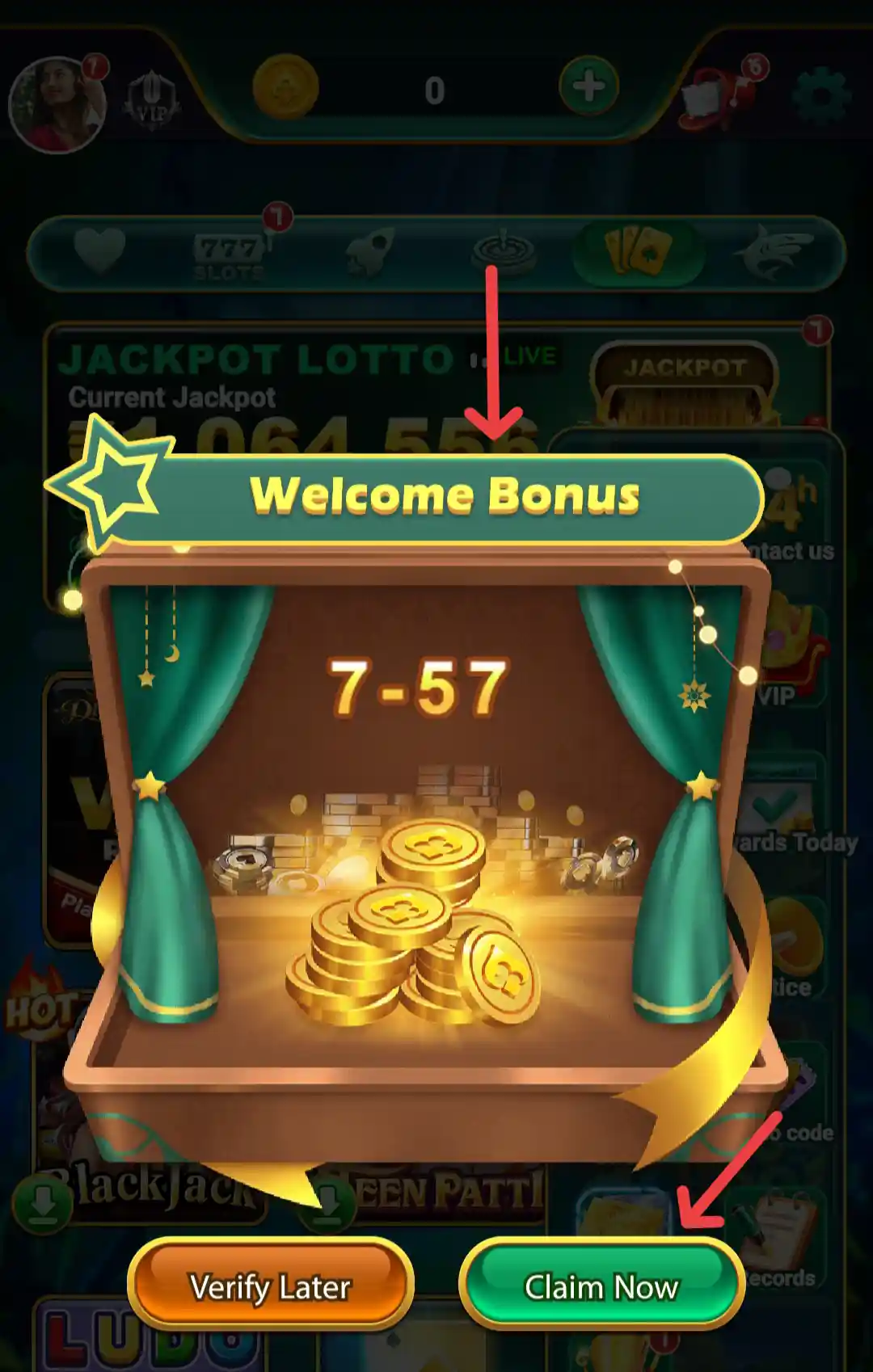
After entering the lobby, the app can show a separate Welcome Bonus panel with the amount range of ₹7–₹57. The panel offers two choices: Verify Later and Claim Now. The claim route is linked to account verification, so review the verification requirements before continuing.
Yes Spin Games and Categories
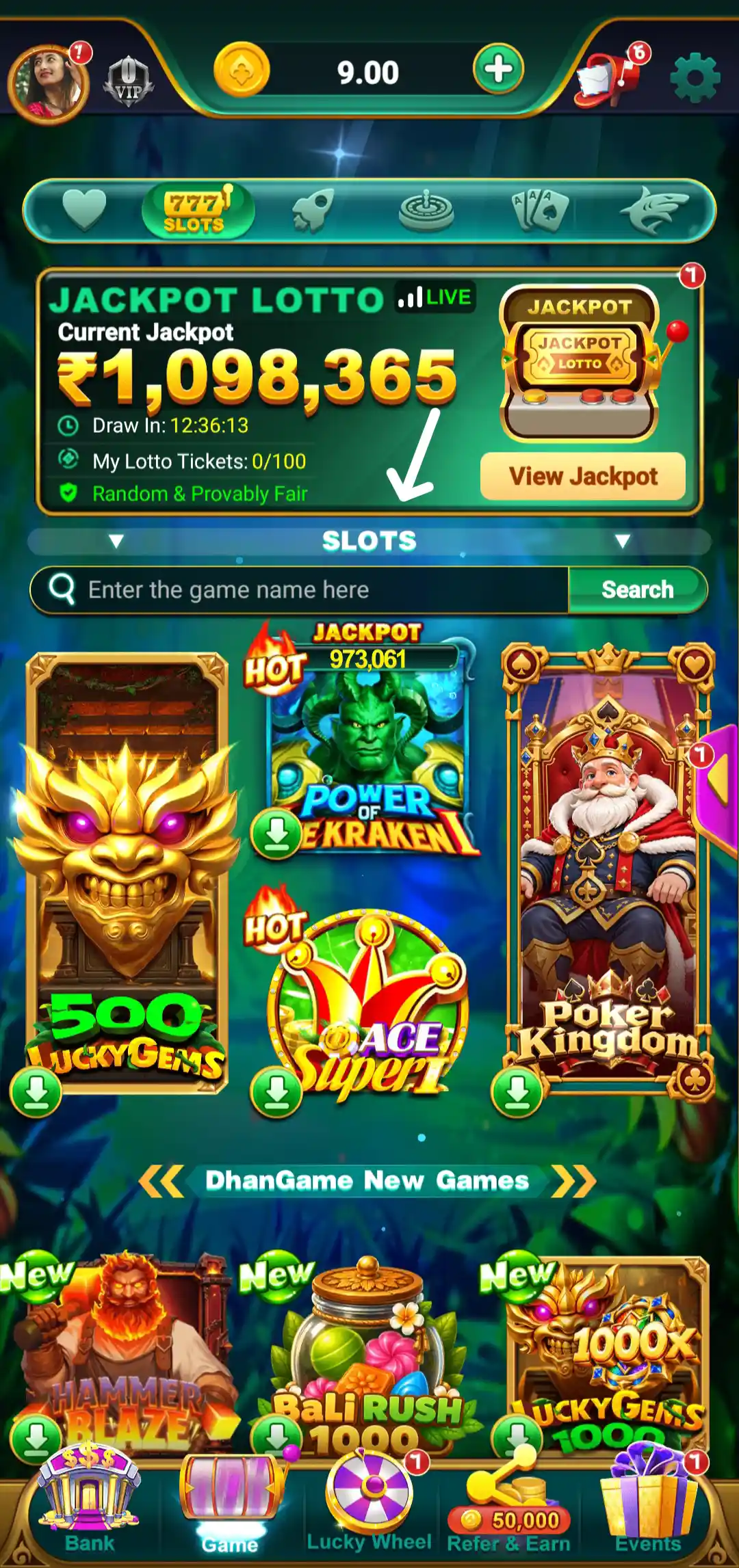
The Yes Spin game lobby groups its titles into different categories. The home interface highlights Slots, Aviator and Fishing, with additional skill-based and arcade-style games available in the lobby. The selection can change over time or between app versions, so use the category tabs in your own app to see the current list.
Yes Spin Slots Games
The Slots category brings together themed slot-style titles in a dedicated section. Open a game's information before starting and review its controls, entry conditions and any amount shown on the screen. Previous rounds or promotional graphics cannot predict the result of a future round.
Yes Spin Aviator
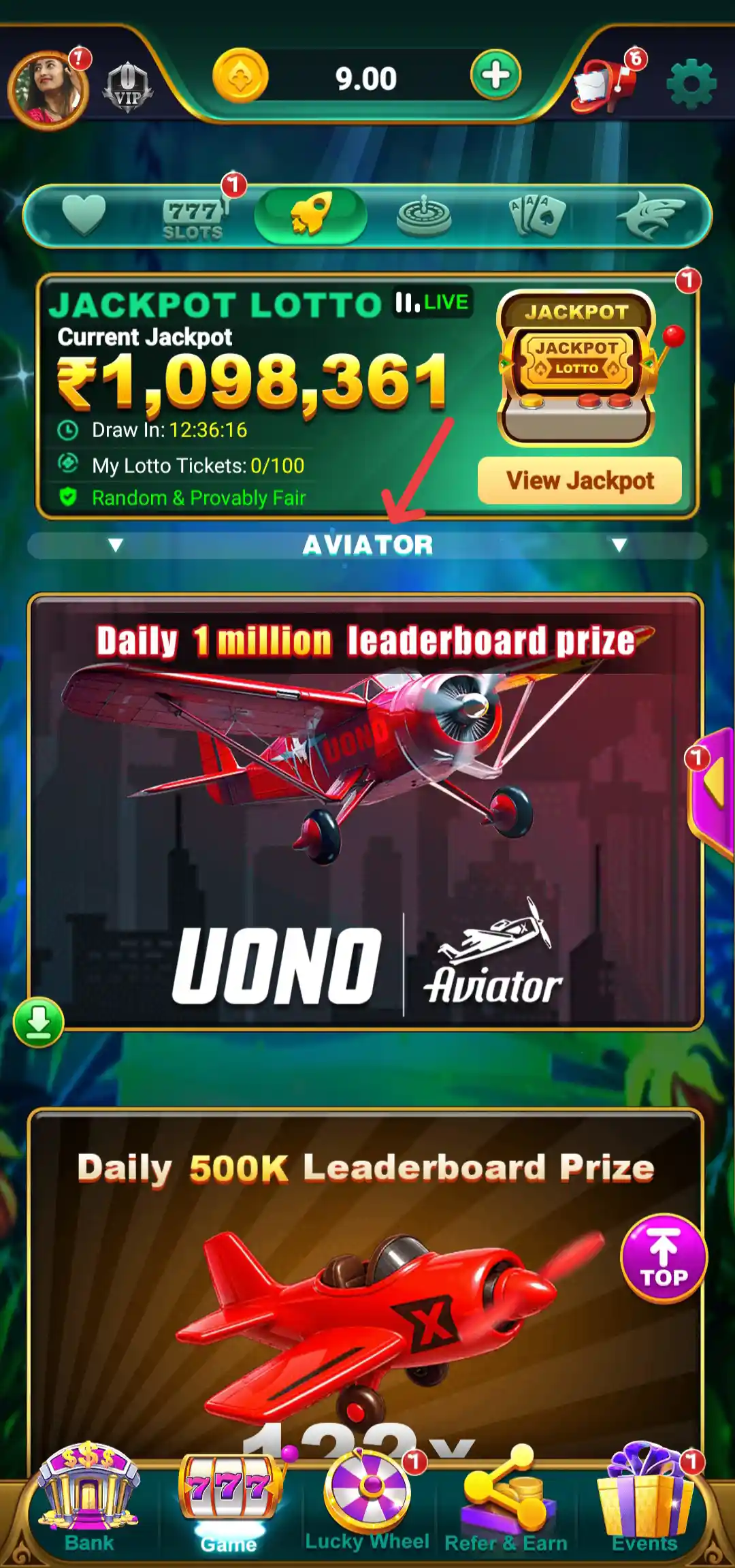
Yes Spin includes an Aviator section promoted through a flight-themed banner. The lobby also displays leaderboard promotions related to selected games. Read the round instructions and understand any entry amount or timing rules before joining. Be cautious of third-party groups or individuals claiming they can predict results or guarantee returns.
Yes Spin Fishing Games
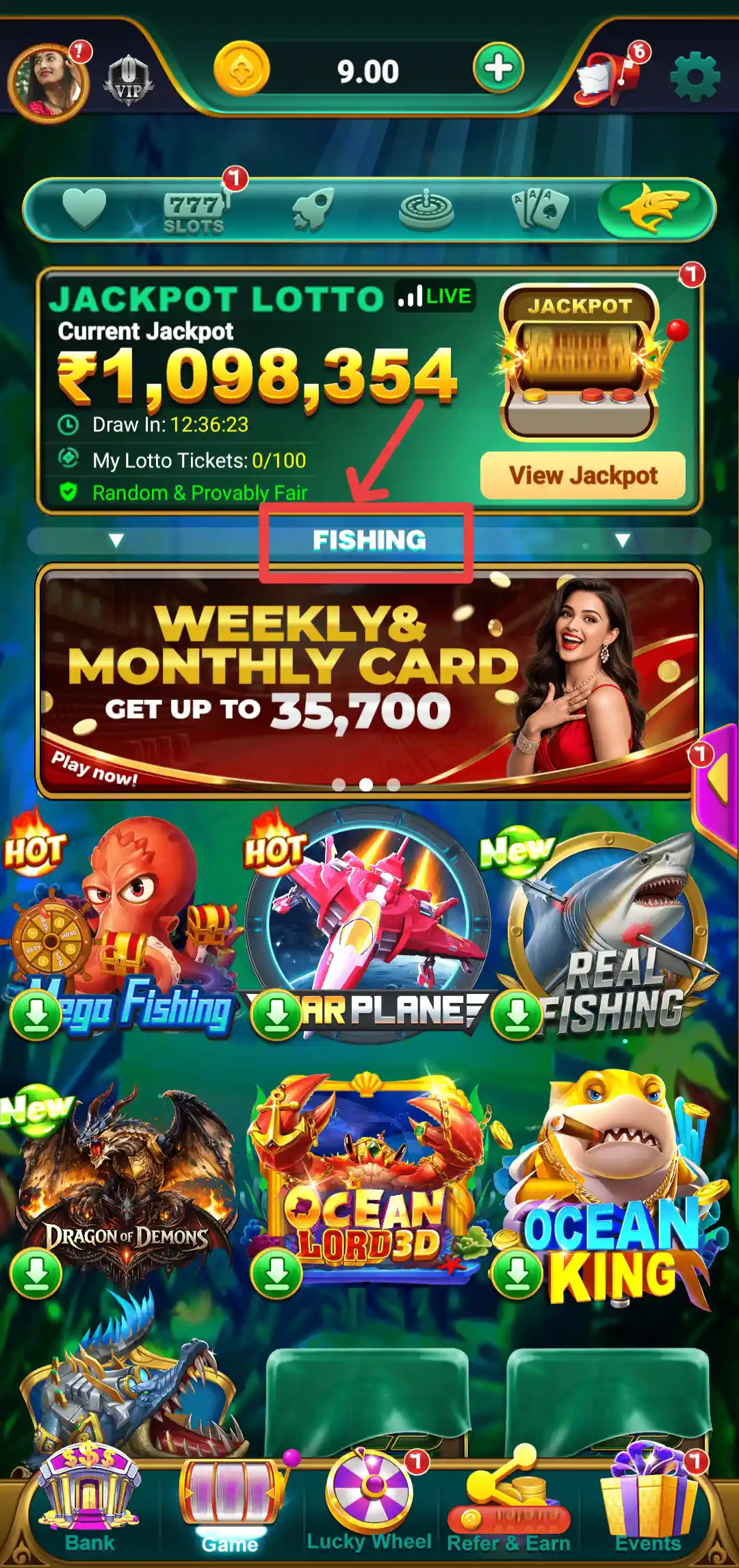
The Fishing tab opens an underwater-themed collection of games. The visible lobby includes titles and artwork such as Egg Fishing, Airplane, Real Fishing, Dragon of Demons, Ocean Lord 3D and Ocean King. Each title may have different controls and scoring rules, so check the game instructions and entry conditions before playing.
Yes Spin Skill and Other Games
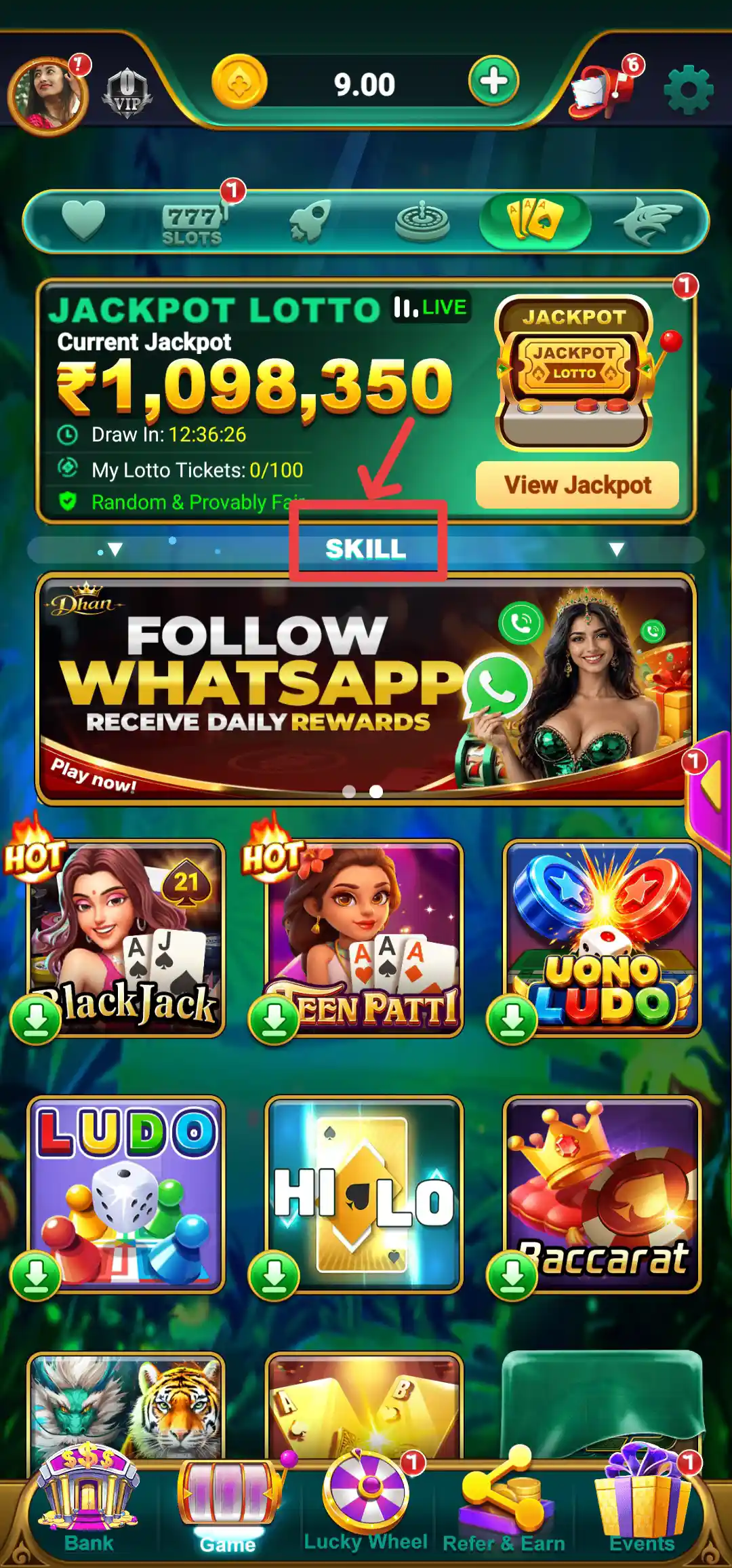
Alongside Slots, Aviator and Fishing, the app provides a separate area for additional game types. The category bar and game lobby are the easiest places to check which titles are currently available. Review the rules, player requirements and any participation cost before entering a game.
Yes Spin Multiplayer Games
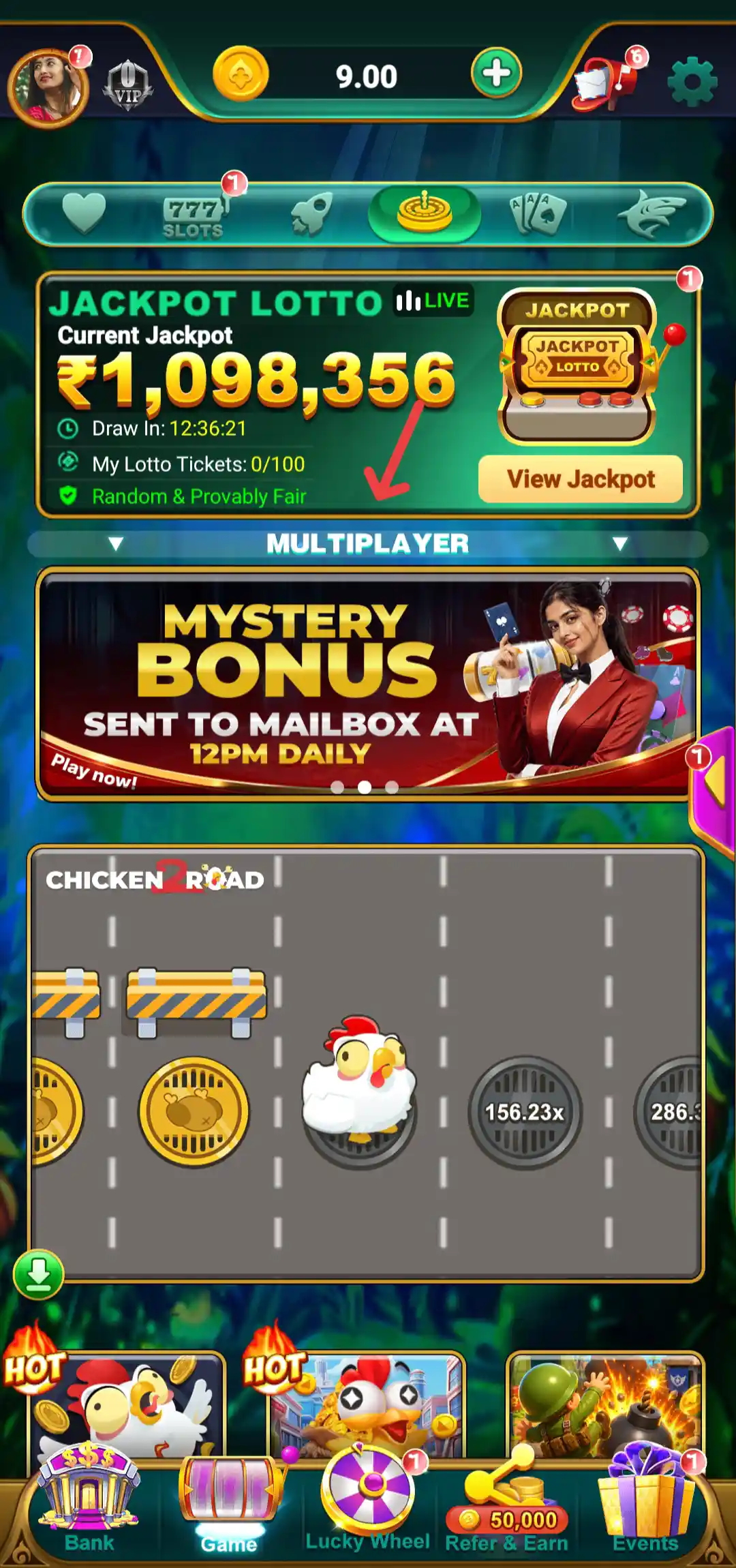
The Multiplayer tab shows a Mystery Bonus banner marked as being sent to the mailbox at 12 PM daily. Below it, the lobby features a Chicken Road 2 game panel, with more game tiles displayed near the bottom of the screen. Open the selected title to check its own play instructions and conditions.
Yes Spin Jackpot Lotto
The home dashboard features a Jackpot Lotto panel with a current jackpot display, draw countdown, ticket count and a View Jackpot option. It also displays a Random & Provably Fair label. These are statements presented within the app and should not be interpreted as a guarantee that a ticket will win or that a particular prize will be paid.
Before participating, check the ticket cost, draw timing, eligibility, prize details and claim process. Jackpot values and ticket availability can change. Make sure the activity is permitted under the rules that apply in your location.
Yes Spin Leaderboard and Prize Details
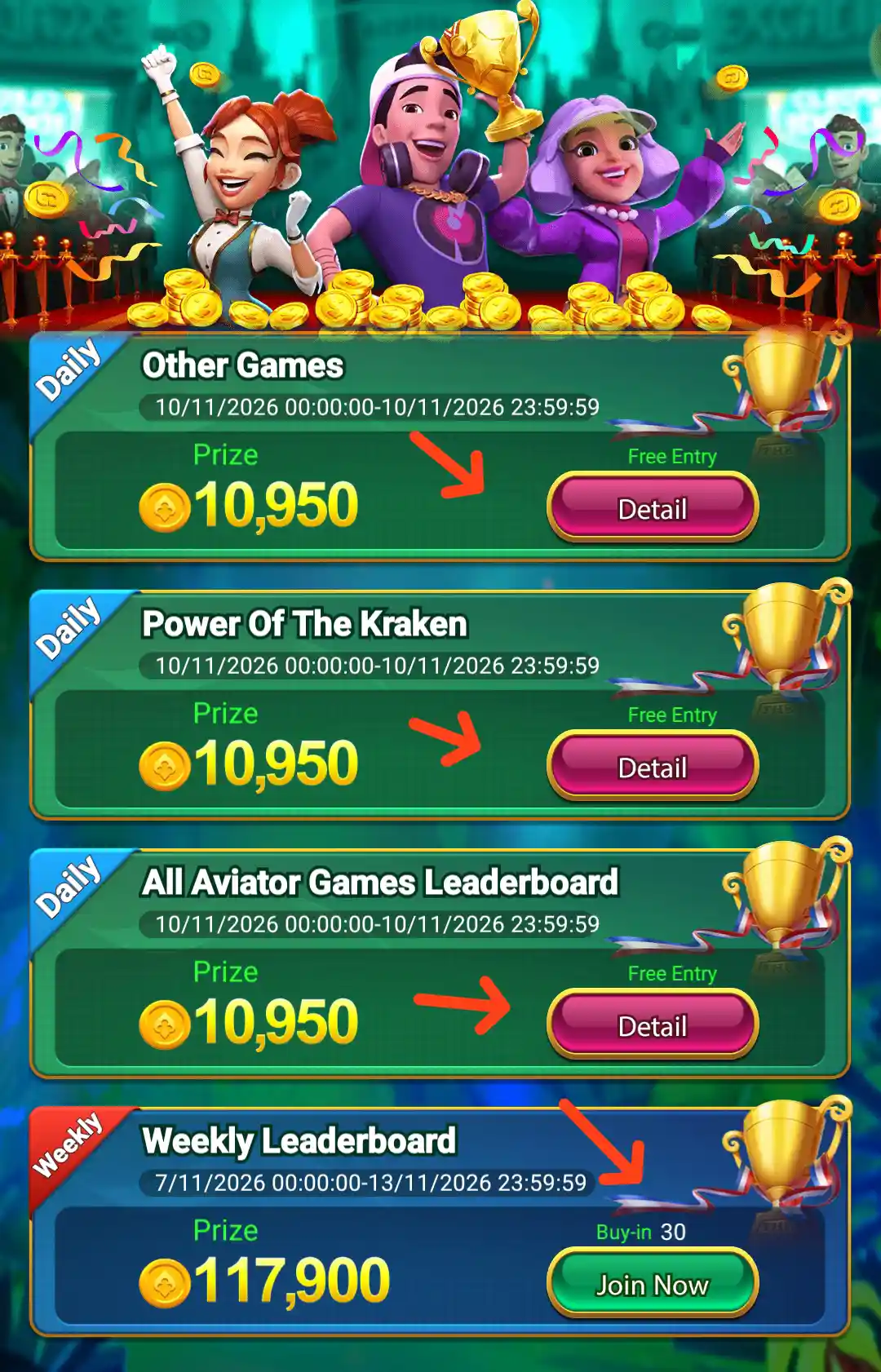
The Leaderboard page lists separate contests for Other Games, Power Of The Kraken and All Aviator Games Leaderboard. These daily entries show a displayed prize of 10,950 and a Detail button. A separate Weekly Leaderboard panel displays a prize figure of 117,900, a Buy-in amount of 30 and a Join Now button. The dates and figures shown belong to the displayed contest period and may change.
Check the contest period, entry type, buy-in and ranking rules on the Detail page before joining. A prize figure on the leaderboard is not a guaranteed payout to every participant.
Yes Spin Wallet and Total Balance
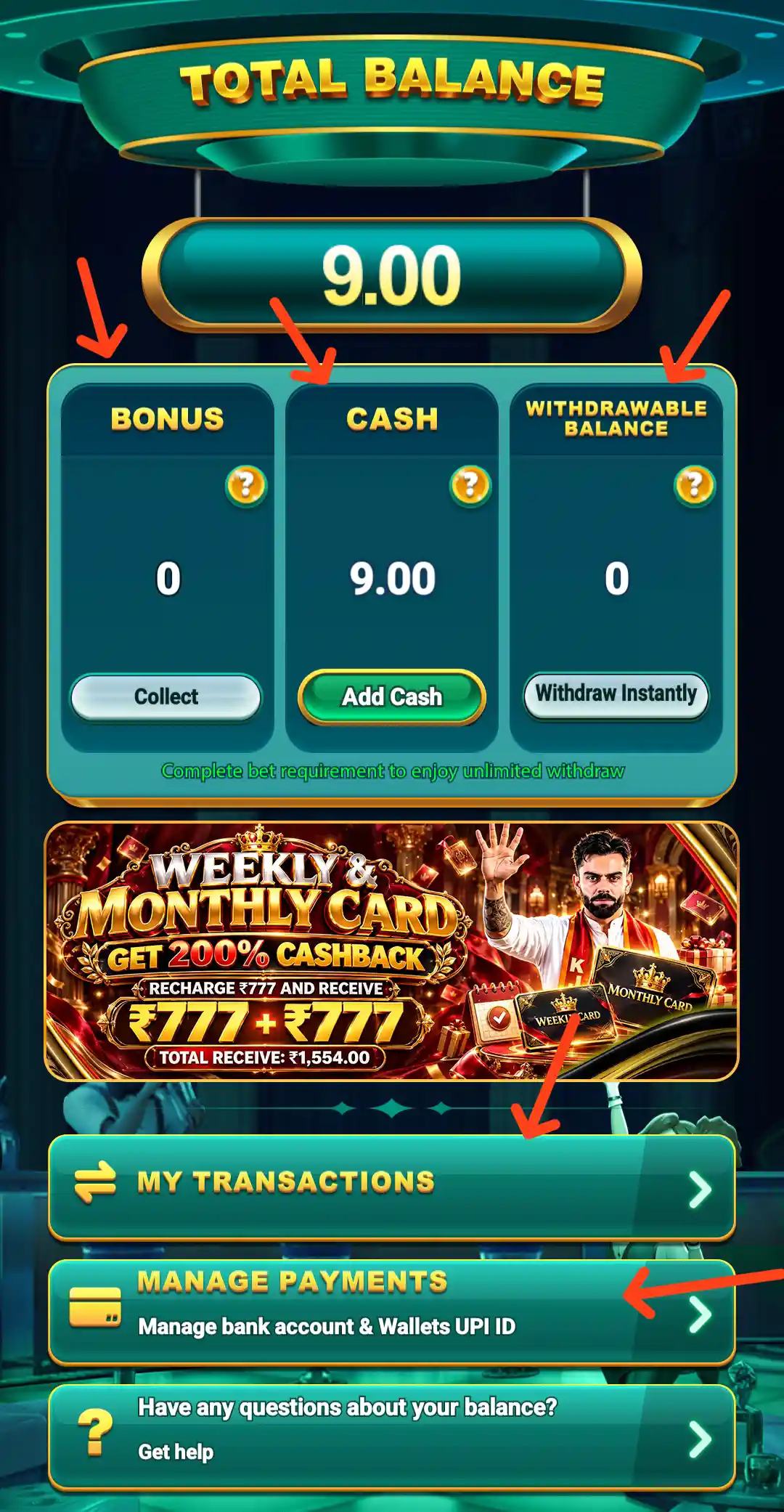
The Bank section is where users can review their account balance and access payment-related options. The wallet area may separate cash, bonus and other balance types. These labels can have different usage and withdrawal rules, so do not assume that the full displayed balance is immediately withdrawable.
Check the available balance and transaction records before making a payment request. Keep transaction references if a deposit, balance update or withdrawal does not match your records.
Yes Spin Deposit: Add Cash to Your Account
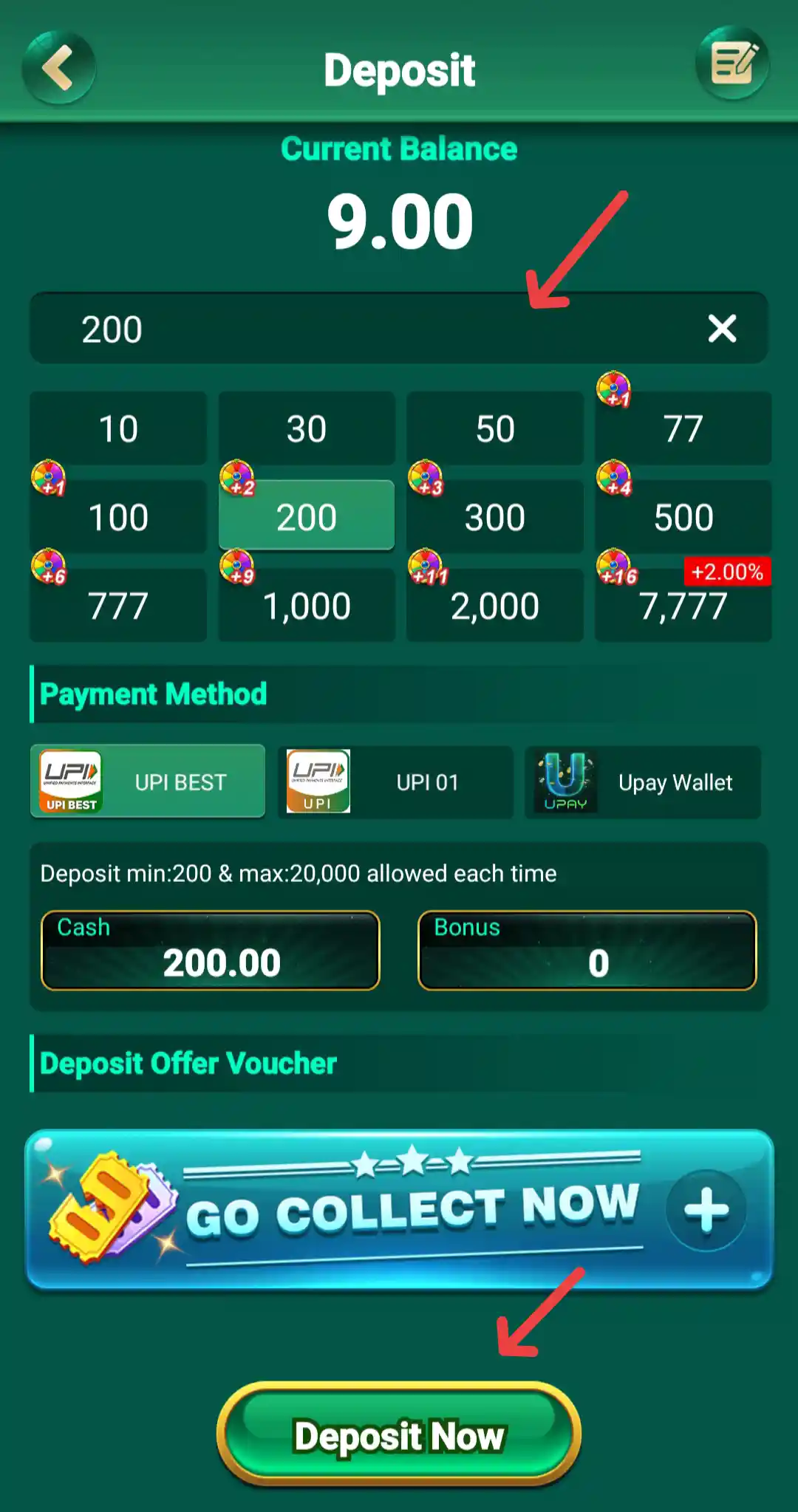
The Deposit page shows the current balance, an amount field, preset amount buttons and available payment methods. The displayed page states a deposit range of ₹200 to ₹20,000 per transaction and shows options including UPI Best, UPI 01 and Upay Wallet. Payment options and limits can change, so confirm the details shown in your account before proceeding.
- Open the Bank area and select Deposit.
- Enter an amount or choose one of the preset values shown.
- Review the payment method, deposit limits and any voucher or offer.
- Check the recipient and payment details carefully before authorising the payment.
- Save the payment reference and check your transaction history afterwards.
Never disclose your UPI PIN, banking OTP or card PIN to another person. If a deposit remains pending, use the support option displayed in the app and do not send extra money to an outside agent promising a manual credit.
Yes Spin Manage Payments
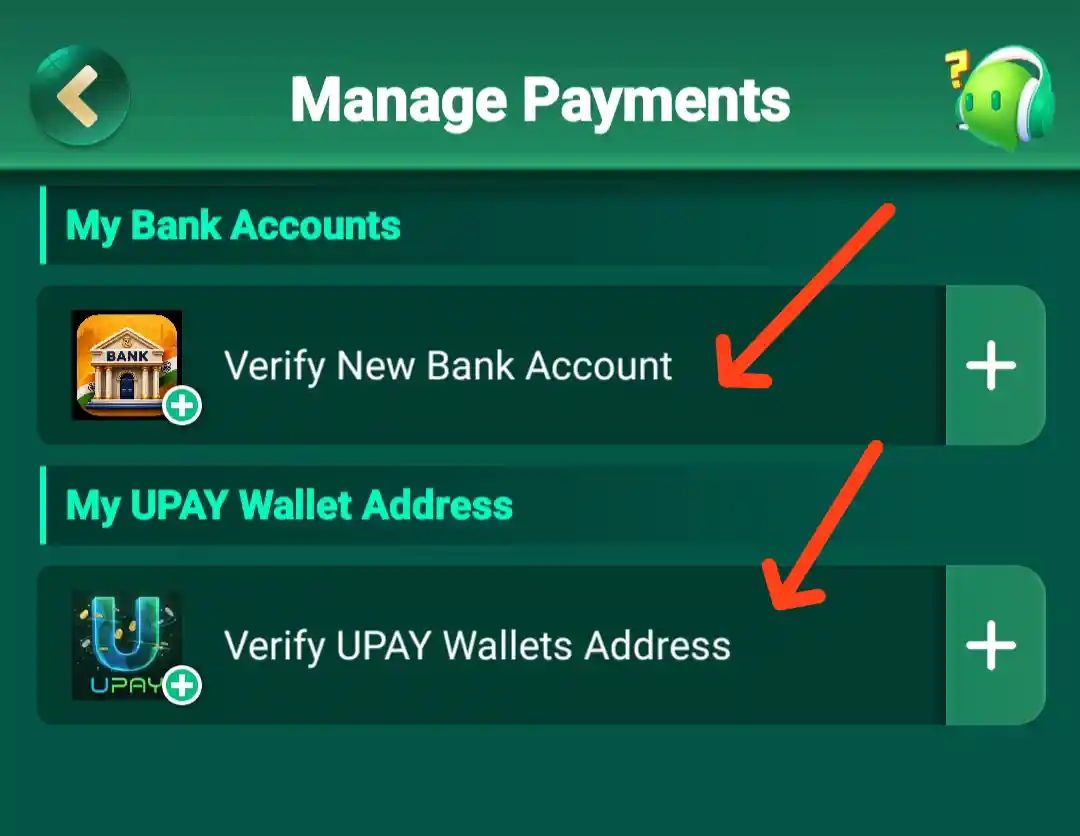
The Manage Payments screen separates saved payment details into My Bank Accounts and My UPAY Wallet Address. Each section has an option to verify or add the relevant details. Select the matching option if you need to manage a payment method, then follow the fields and instructions displayed on the next screen.
Yes Spin First Deposit Bonus
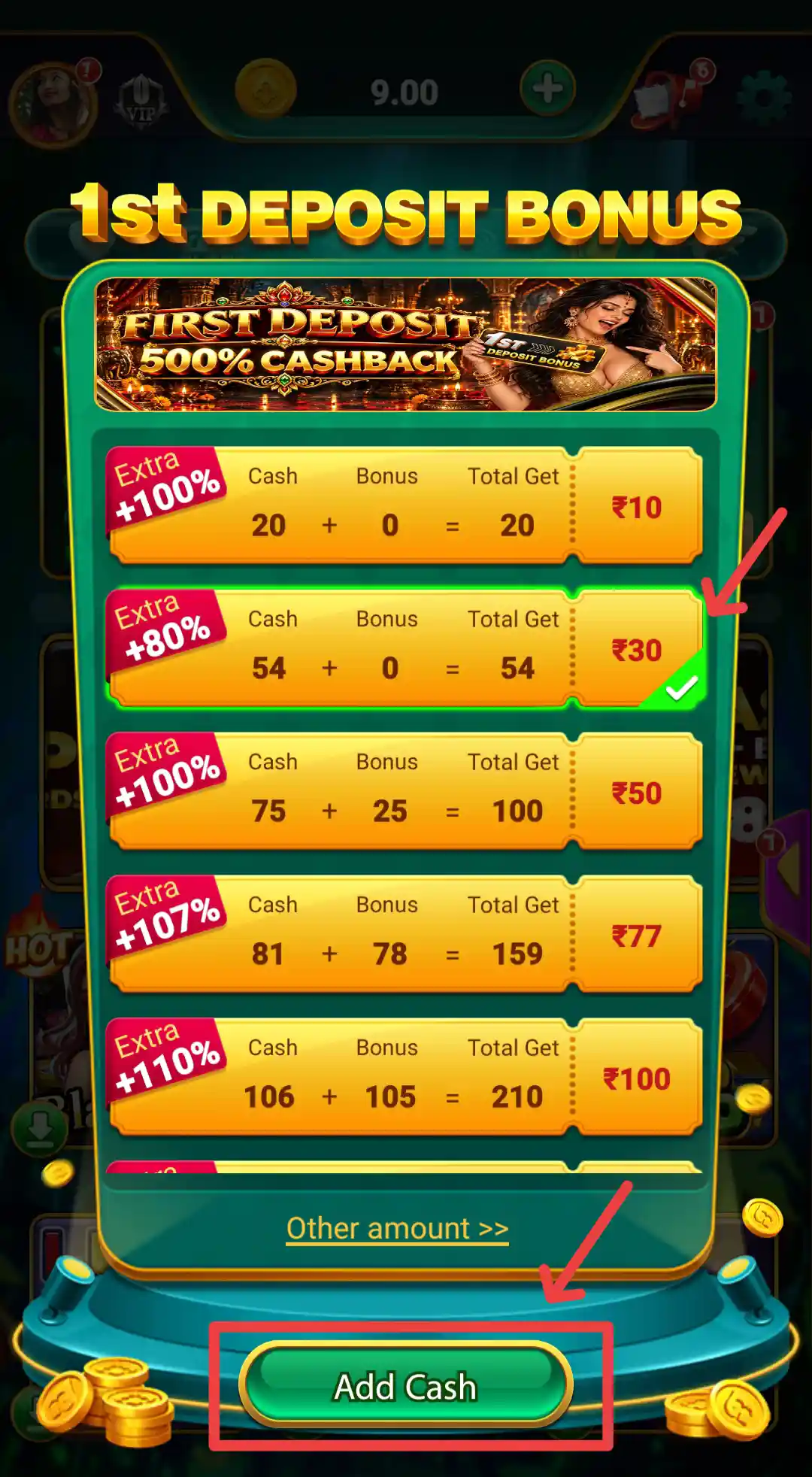
The Yes Spin First Deposit Bonus panel lists several selectable amounts. The visible examples show ₹10 with 20 cash and 0 bonus (total 20), ₹30 with 54 cash and 0 bonus (total 54), ₹50 with 75 cash and 25 bonus (total 100), ₹77 with 81 cash and 78 bonus (total 159), and ₹100 with 106 cash and 105 bonus (total 210). The ₹30 option is highlighted in the displayed panel. These are the figures shown on that offer screen; check the current selection and its conditions in your account.
Read the complete offer terms before making a deposit. Check the qualifying amount, whether the offer must be selected or claimed, expiry time, play-through requirements and withdrawal rules for bonus funds. A bonus is promotional credit and should not be treated as guaranteed cash or profit.
Yes Spin Withdrawal and Payment Management
The Bank and payment areas provide access to account balance and payment-management features. The minimum withdrawal listed for Yes Spin is ₹100. Actual withdrawal eligibility can depend on the withdrawable balance, account verification, bonus conditions and the current rules displayed in the app.
Before submitting a request, review the minimum and maximum limits, processing conditions and payment details. Check the transaction history for the latest status. If a request is pending or fails, retain its reference and contact support through a channel shown inside the app.
Yes Spin Bank Account Verification
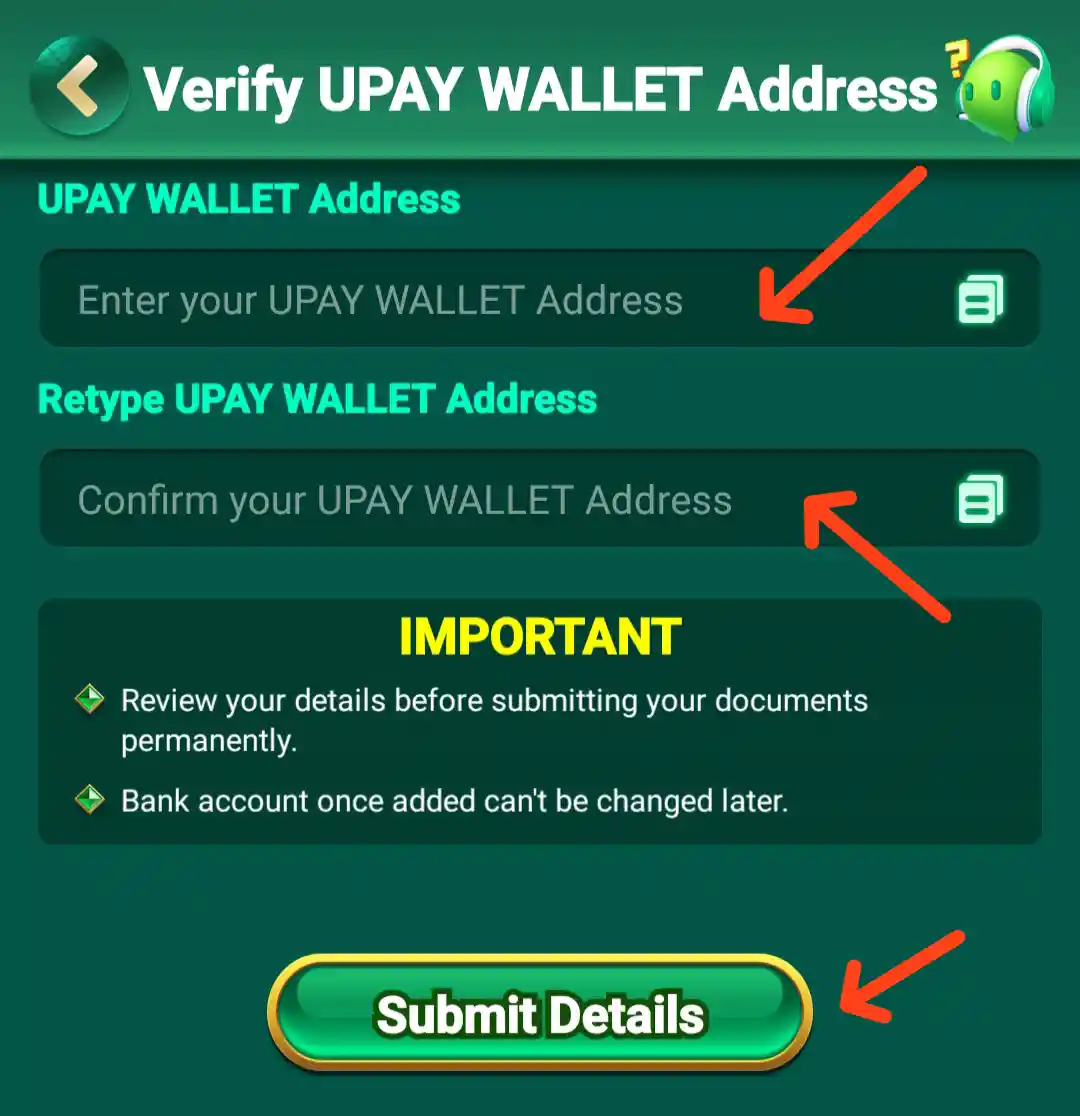
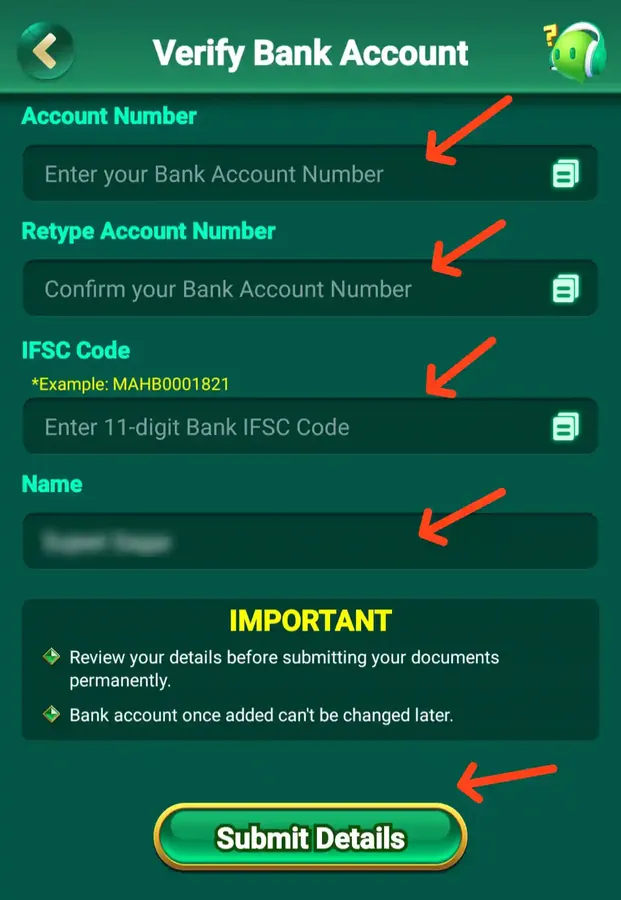
Payment management may ask users to add or verify bank details before using certain payment services. Enter only information that belongs to you, and check every field before submitting. Read the app's notice about whether saved payment details can be edited later.
Bank details are sensitive. Do not send your full account information, OTP, card PIN or internet banking password to anyone through chat or social media. If a verification request seems unusual, pause and confirm it with a support channel you have independently verified.
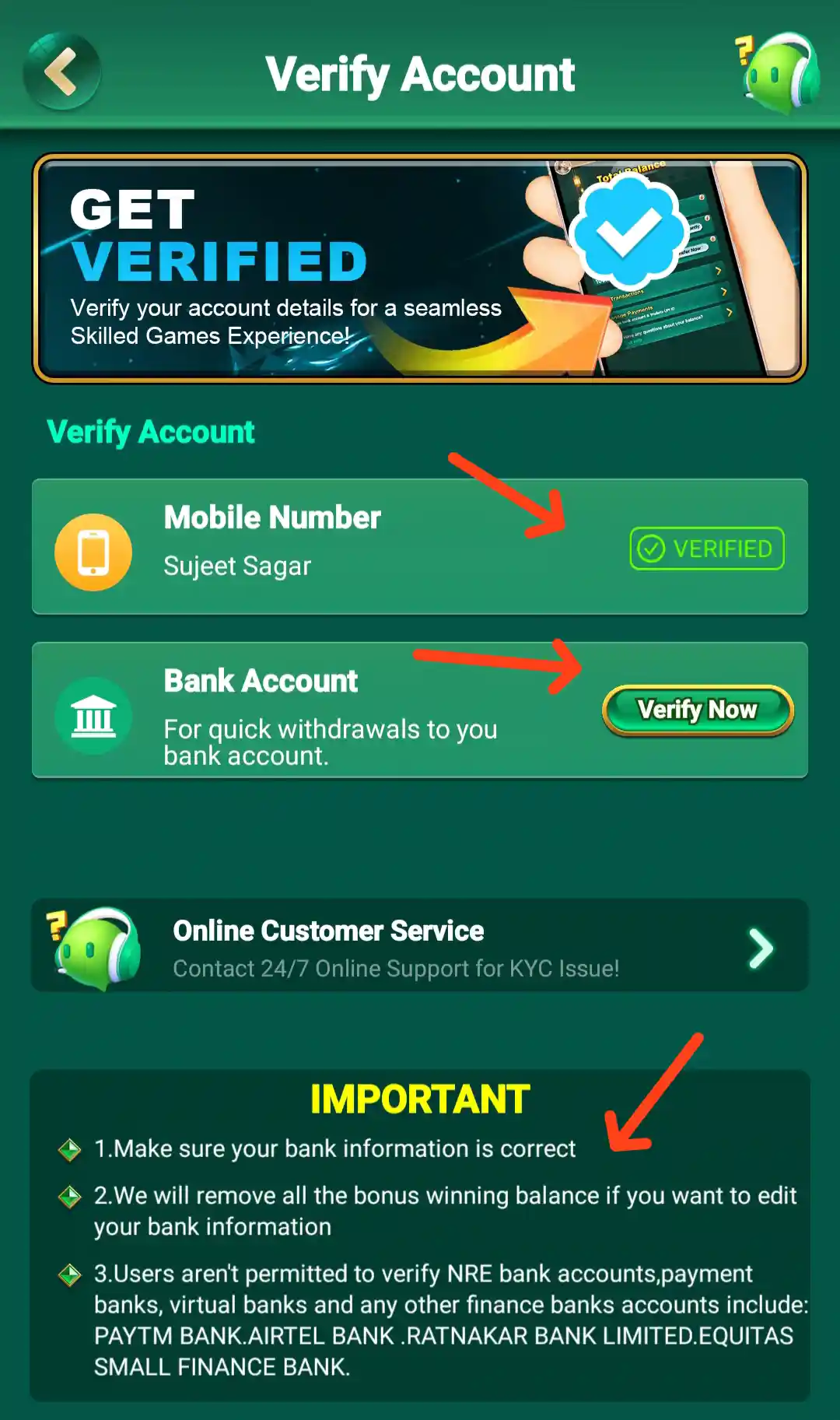
Yes Spin Verify Account and KYC
The Verify Account page shows the mobile number status as Verified and a separate Bank Account section with a Verify Now button. It also displays an Online Customer Service option for KYC issues. The notice on this page asks users to make sure their bank information is correct, warns that bonus winning balance may be removed if bank information is edited, and lists certain account types that are not accepted for verification.
Read the full on-screen notice before submitting bank details. The account and bank information should belong to you, and the details should be checked carefully because the page describes restrictions on changing saved bank information.
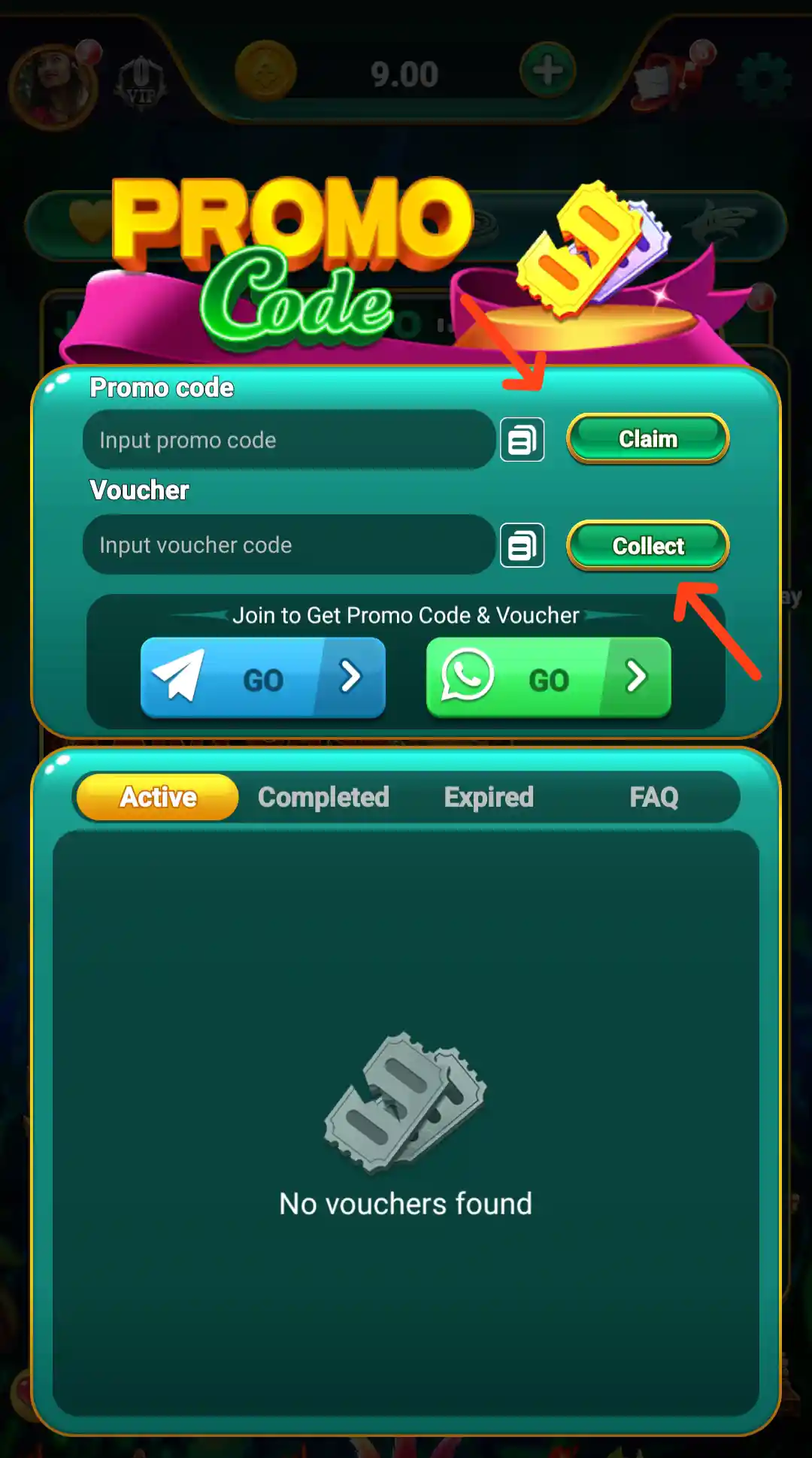
Yes Spin Promo Code and Voucher
The app includes a Promo Code area for entering promotional codes and checking available voucher offers. A code may have a limited validity period, account eligibility rules or a qualifying action. Check the details shown before trying to claim or collect an offer, and use codes only from sources you trust.
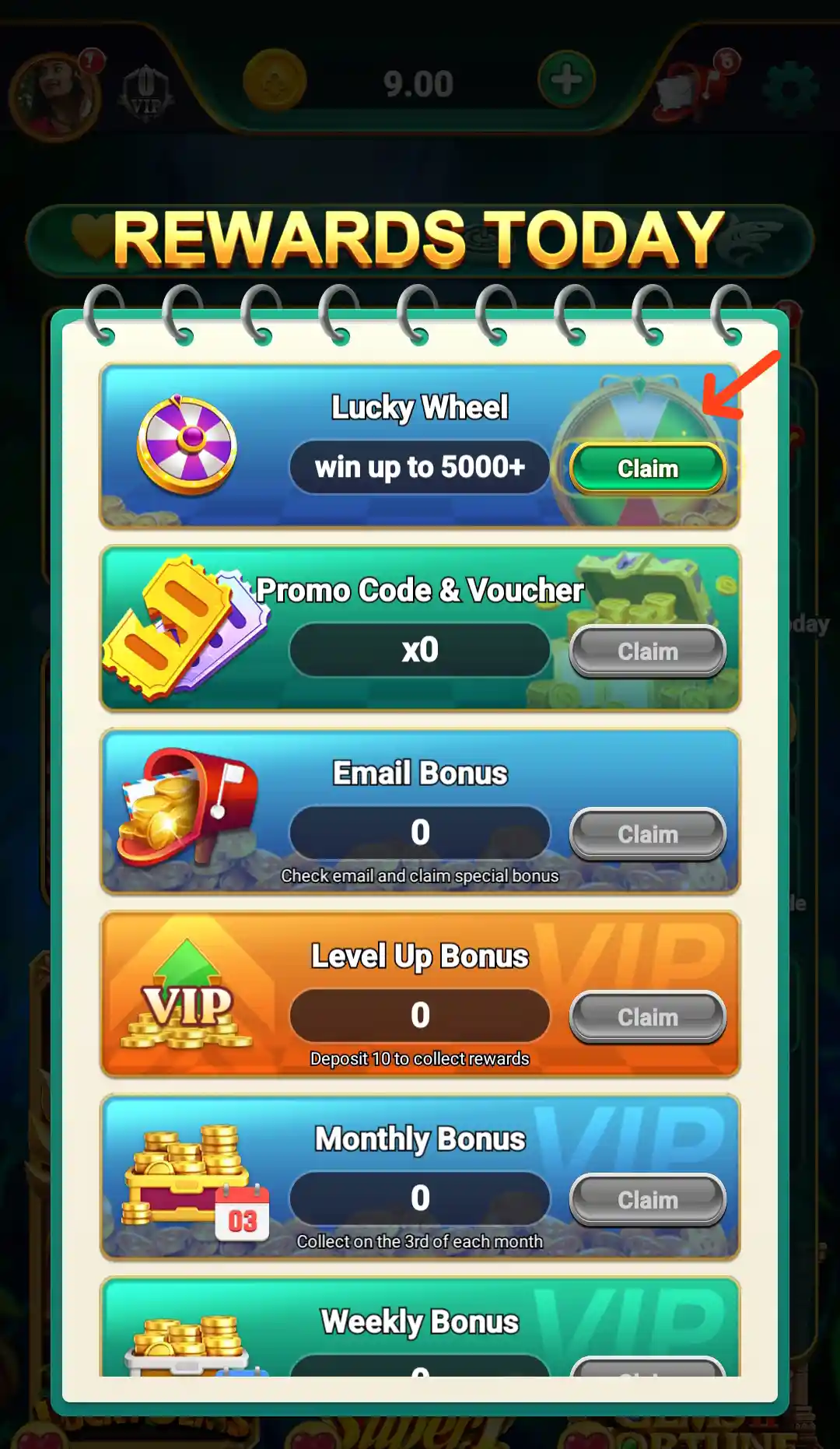
Yes Spin Rewards Today
The Rewards Today screen lists Lucky Wheel, Promo Code & Voucher, Email Bonus, VIP Level Up Bonus, Monthly Bonus and Weekly Bonus. Each entry has its own reward label and button, such as Spin or Claim. Availability can depend on the account and the offer conditions shown beside each item.
A reward banner or Claim option does not mean that an amount has already been credited or that it can be withdrawn without conditions. Review the offer details before taking action.
Yes Spin Free Cash
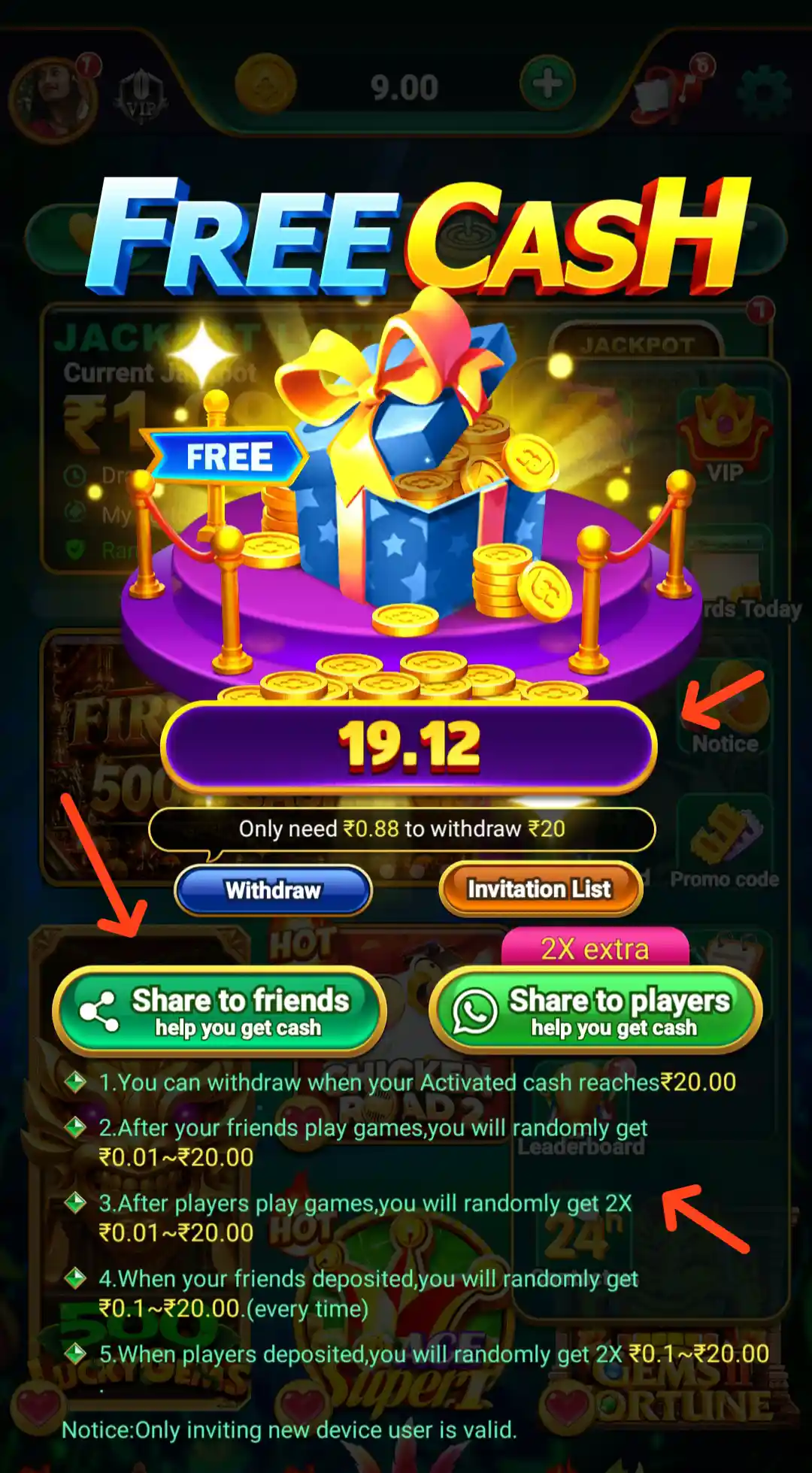
The Free Cash promotion includes a countdown-style display, a withdrawal progress message and sharing options such as Share to Friends and Share to Players. Its terms describe rewards that may be linked to invited users' activity or deposits. The screen also states that the invited person must be a new device user for the invitation to qualify.
The displayed reward amounts are promotional and are not guaranteed earnings. The page mentions a ₹20 activated-cash threshold before withdrawal, along with additional conditions. Read the full current rules, and invite people only with their consent. Do not deposit money or share personal information simply to chase a promotional claim.
Yes Spin Referral Program and Invite Reward Chest
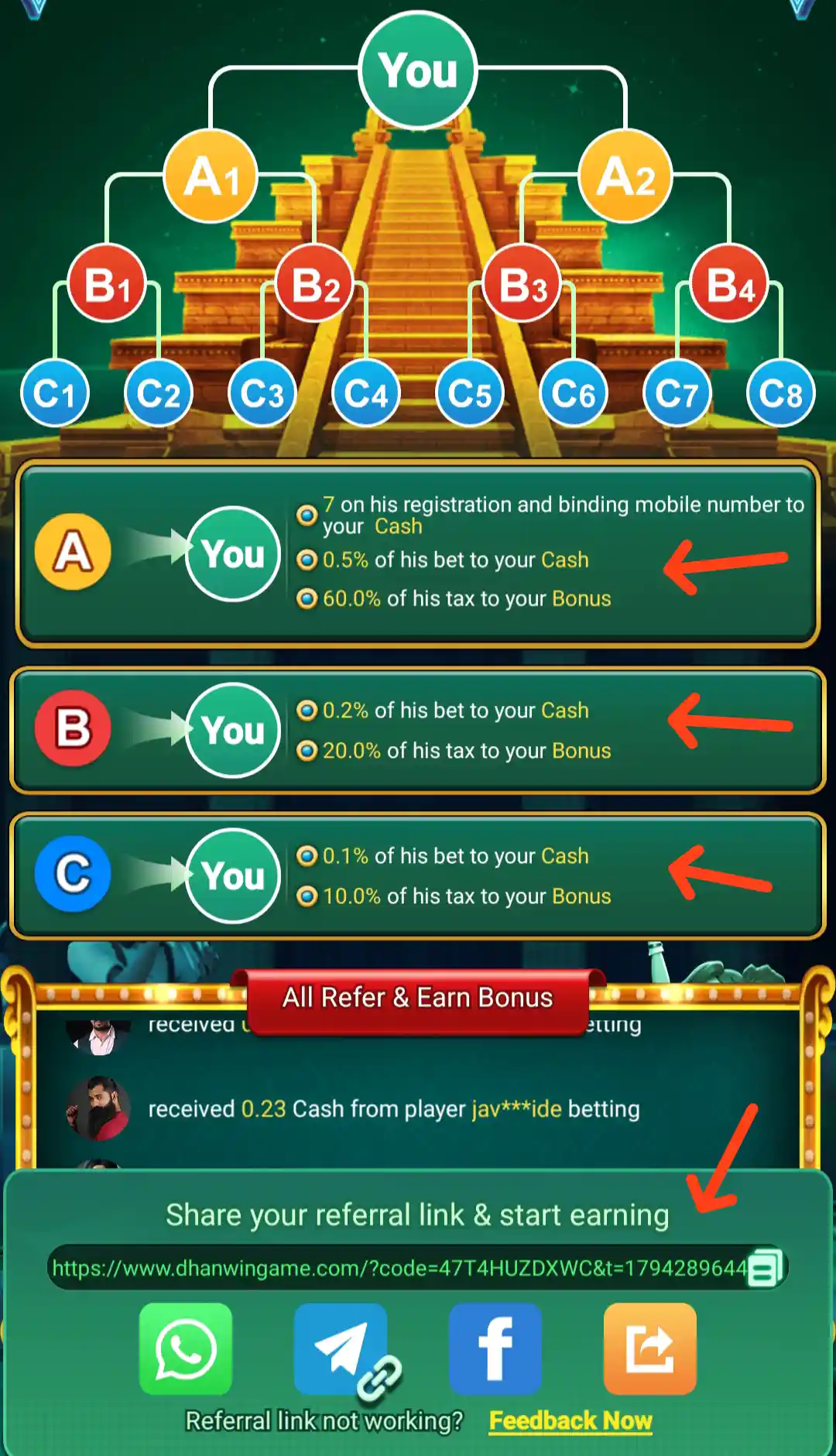
Yes Spin's Refer & Earn screen shows a three-level referral structure. For an A-level referral, the panel lists ₹7 on registration and mobile-number binding, 0.5% of the referred player's bet to Cash and 60% of the player's tax to Bonus. For B-level referrals, it lists 0.2% of bets to Cash and 20% of tax to Bonus; for C-level, it lists 0.1% of bets to Cash and 10% of tax to Bonus. These are the commission figures displayed in the referral panel and are subject to its qualifying rules. The app also has a separate Invite Reward Chest with player-count milestones.
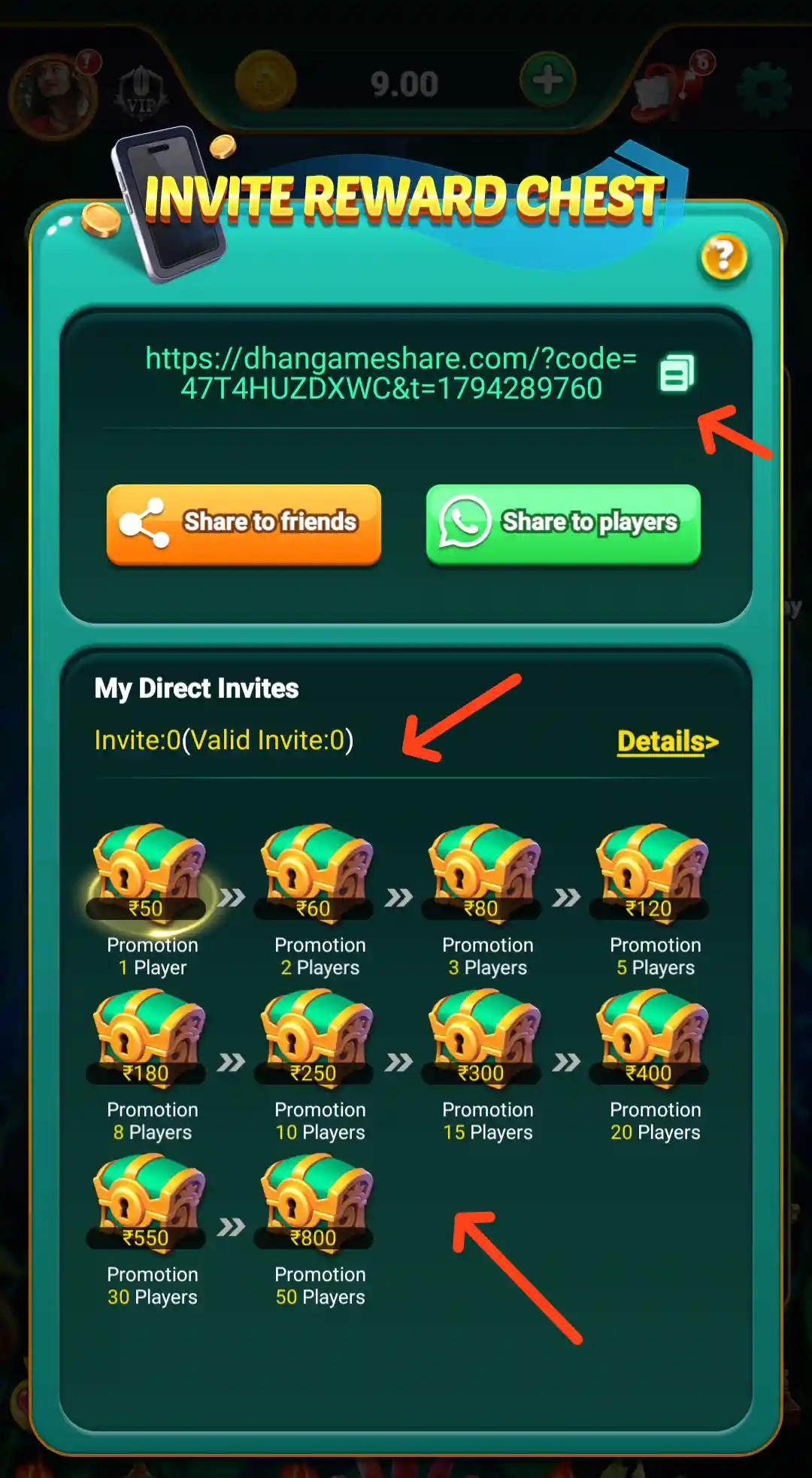
The displayed Invite Reward Chest milestones include ₹50 for 1 player, ₹60 for 2 players, ₹80 for 3 players, ₹120 for 5 players, ₹180 for 8 players, ₹250 for 10 players, ₹300 for 15 players, ₹400 for 20 players, ₹550 for 30 players and ₹800 for 50 players. These are listed promotion targets, not guaranteed payouts. Check what counts as a valid invite and whether additional activity is required before expecting a reward.
Yes Spin Lucky Wheel
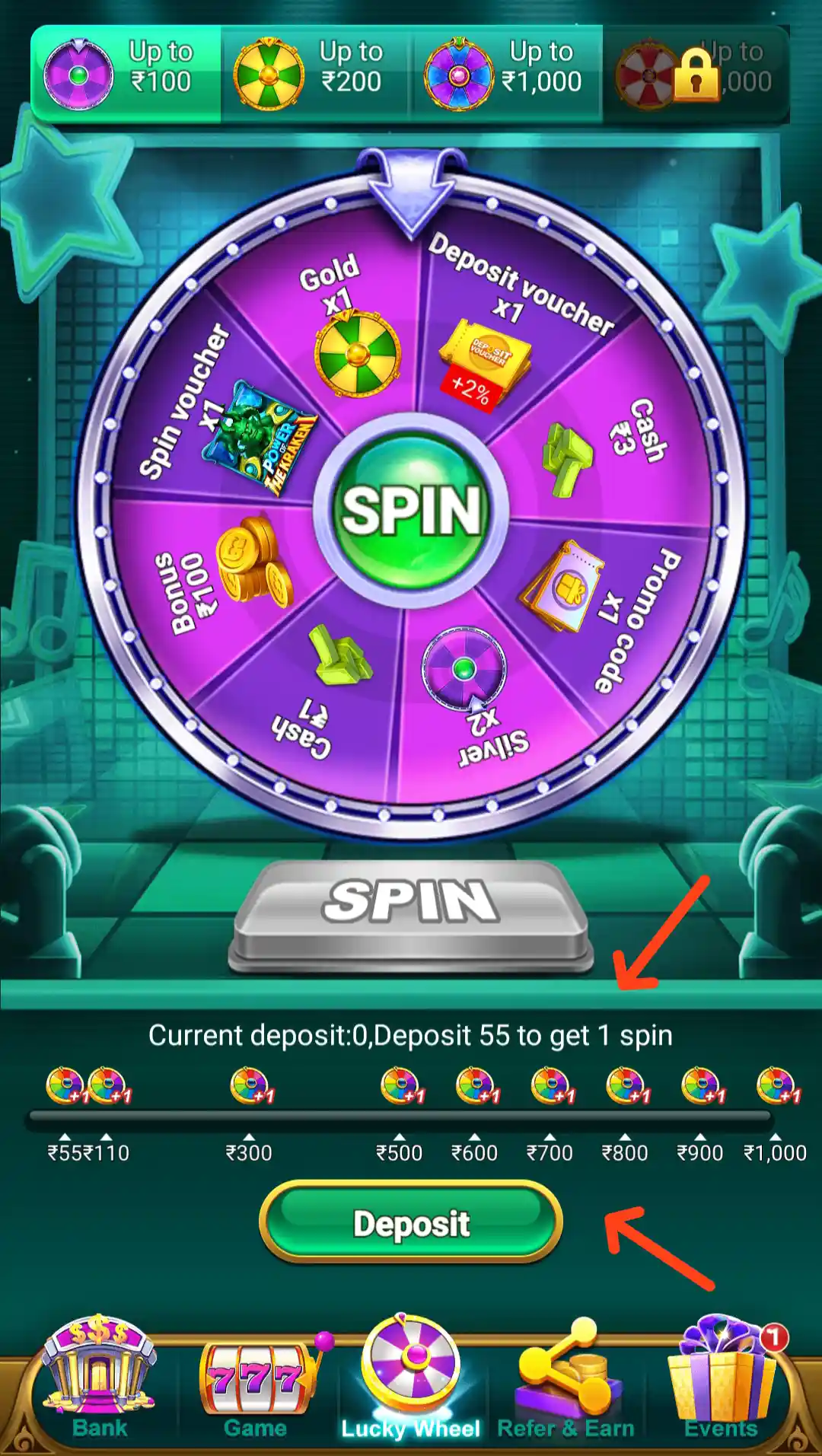
The Lucky Wheel section is available from the bottom navigation. It presents a spin-style reward feature and may show cash labels, bonus entries or promotional vouchers. The number of spins and any qualifying action can depend on the current campaign.
Before using the wheel, check whether a spin requires a deposit or another action. Read the reward type, expiry and withdrawal conditions, and do not spend money solely because the screen displays a possible prize.
Yes Spin VIP Plan and Benefits
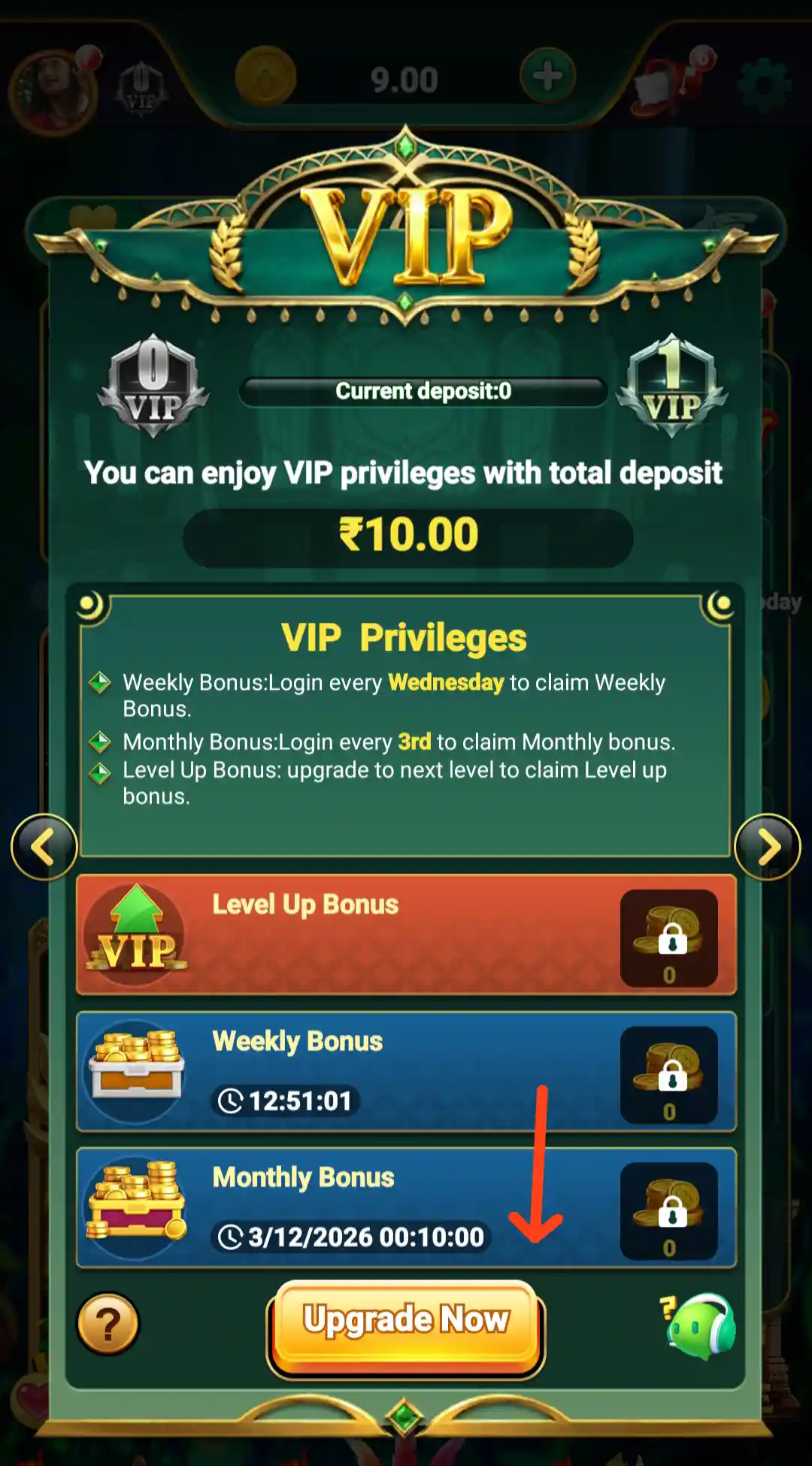
The VIP area presents membership information and reward-related privileges. The benefits and progress requirements can depend on the selected level and account activity. Review the current conditions, qualifying requirements and reward schedule inside the app before deciding whether to pursue a VIP tier.
A VIP label or listed benefit is not a guarantee of cash rewards. Avoid spending beyond your budget to reach a membership level.
Yes Spin Weekly and Monthly Cards
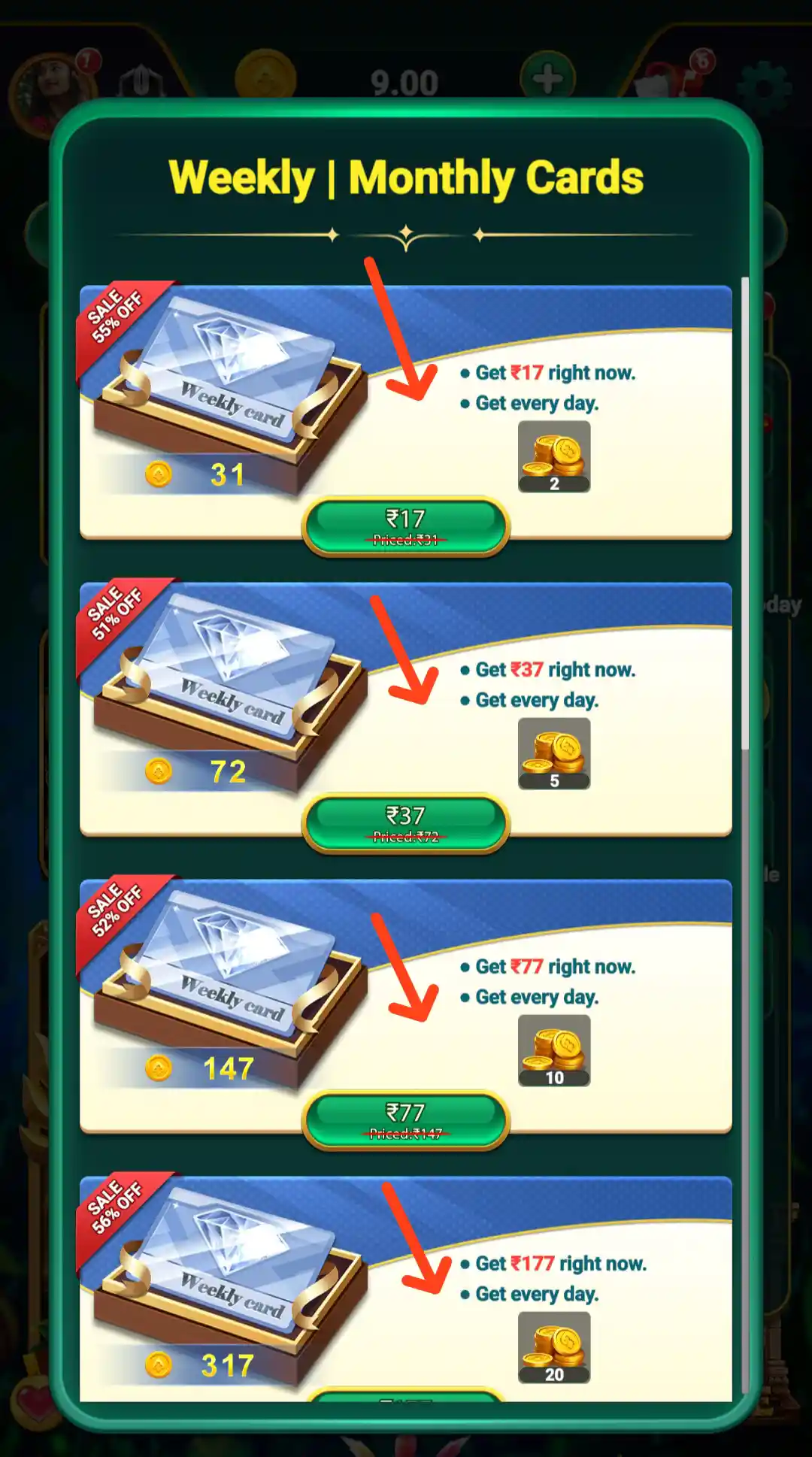
The app also promotes Weekly and Monthly Cards through a dedicated banner. The offer shown advertises card rewards up to ₹35,700. The price, duration, reward schedule and eligibility may vary, so check the card details in the app rather than relying only on the banner headline.
Read the full terms, payment amount, daily claim process, expiry and withdrawal conditions before purchasing a card. Do not assume that the advertised total is paid immediately or that every account receives the same offer.
Yes Spin Customer Support and Contact Us
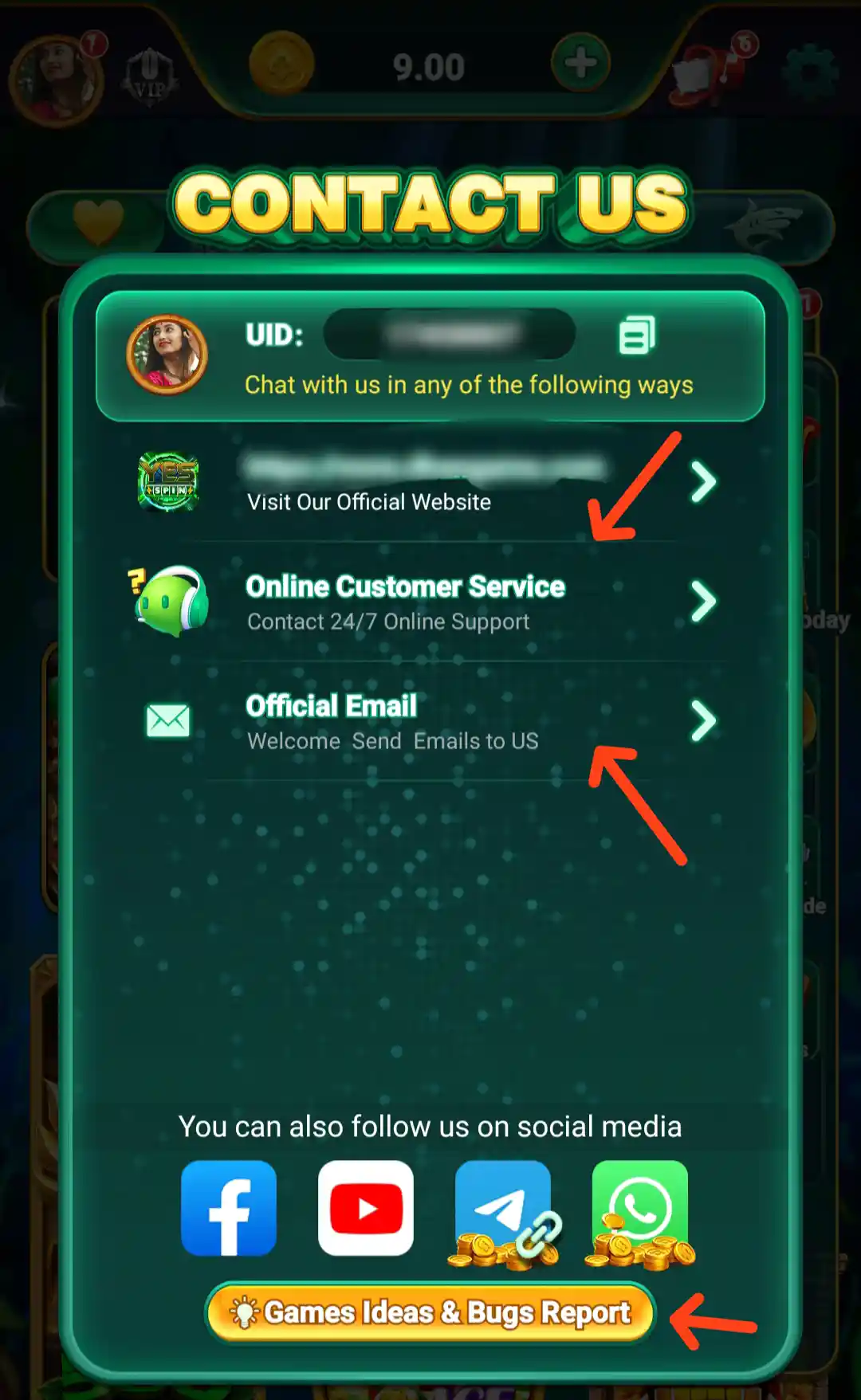
The Contact Us panel provides an Online Customer Service option marked for 24/7 online support, an Official Email option and a Games Ideas & Bugs Report button. It also displays social channels. Use the contact methods shown inside the app, and verify that you are using an official channel before sharing an account-related query.
Never share your password, OTP, UPI PIN or complete banking credentials with support staff. For a payment issue, keep the transaction reference and explain the problem without exposing sensitive authentication details.
Frequently Asked Questions About Yes Spin
What is Yes Spin?
Yes Spin is an Android gaming app with Slots, Aviator, Fishing and other game categories, along with wallet, deposit, reward, referral and account-support features.
How can I download Yes Spin APK?
Tap the Download Official APK button at the top of this page. It opens the Yes Spin APK download page. Review the app details before downloading and installing. You can also read our Yes Spin APK Download guide.
What is the Yes Spin app size?
The listed Yes Spin APK size is 92.5 MB. The actual download size may differ between versions.
What signup bonus does Yes Spin offer?
The listed signup bonus range is ₹7–₹57. The amount and eligibility depend on the active offer and its terms.
What is the Yes Spin Welcome Bonus?
The Welcome Bonus panel displays an amount range of ₹7–₹57 and offers Verify Later and Claim Now options. The claim process may require account verification.
What is the minimum withdrawal in Yes Spin?
The listed minimum withdrawal is ₹100. A withdrawal is still subject to withdrawable balance, verification and the current account rules.
What is the minimum deposit shown in Yes Spin?
The displayed Deposit page states a minimum of ₹200 and a maximum of ₹20,000 per transaction. It also shows preset amounts including ₹10, ₹30, ₹50, ₹77, ₹100, ₹200, ₹300, ₹500, ₹777, ₹1,000, ₹2,000 and ₹7,777. The selected amount in the example is ₹200. Check the current limits and available methods in your account.
Which games are available in Yes Spin?
The home lobby highlights Slots, Aviator and Fishing, with additional skill and arcade-style titles. The available selection may change.
What referral rewards are listed by Yes Spin?
The listed referral programme mentions ₹7 Referral Bonus, 0.5% Bet and 60% Tax Bonus Commission for qualifying referrals. The Invite Reward Chest also shows milestone rewards. Check the in-app rules for valid invites and qualifying activity.
Does Yes Spin have account verification?
Yes Spin has a Verify Account page showing mobile-number verification and a Verify Now option for bank-account verification. Review the restrictions and notices on that page before submitting details.
Does Yes Spin provide customer support?
The Contact Us panel displays Online Customer Service, Official Email and a Games Ideas & Bugs Report option. Verify the channel before sharing account information.
Are Yes Spin bonuses or referral rewards guaranteed?
No. Promotional and referral rewards can have eligibility, expiry, activity and withdrawal conditions. Read the current terms in the app.
Related Yes Spin Guide
For another overview of the app and its installation process, visit Yes Spin APK Download on Allyono Pro. This related Yes Spin App Download guide offers another reference for users checking the app and its account features.